Stop Fixing Printers and Start Growing with Managed IT
To truly appreciate the value of fully managed IT support, you first have to understand what it replaces. For decades, the standard approach to business technology was the "break-fix" model. Something broke, you called a technician, they came out to fix it, and sent you a bill for their time.
While that sounds straightforward, break-fix creates a fundamental conflict of interest: your IT provider only makes money when your business is suffering from technology downtime.
Proactive management changes everything. Under a managed framework, we charge a predictable flat rate to keep your systems running smoothly. Suddenly, our goals are perfectly aligned with yours: the fewer technical issues you experience, the better it is for both of us.
When you look at the economics, the difference becomes stark:
Feature Reactive Break-Fix Support Fully Managed IT Support Primary Approach Wait for failure, then repair Continuous 24/7 monitoring and prevention Cost Structure Variable ad-hoc hourly rates (approx. $225/hour) Predictable flat monthly fee per user Downtime Impact High (work stops until a technician fixes it) Low (issues resolved before causing outages) Cybersecurity Basic, often outdated software updates Multi-layered protection, patch management, SOC Strategic Planning None (focused entirely on immediate fixes) Ongoing technology roadmaps and upgrades Service Coverage Pay per call, unpredictable monthly bills Comprehensive Managed IT Solutions
Core Components Included in Fully Managed IT Support Services
When you partner with a provider for fully managed IT support, you aren't just buying emergency help; you are adopting an enterprise-grade technology team. Modern managed services wrap essential administrative, technical, and security functions into a cohesive package.
Key operational features include:
24/7 Remote Monitoring and Management (RMM): Software agents constantly monitor server performance, storage capacity, and hardware health to spot failures before they crash your network.
Help Desk Assistance: Fast, direct access to qualified technicians via phone, email, or client portals to resolve day-to-day user issues quickly.
Automated Patch Management: Routine operating system and third-party software updates deployed safely after hours to close security vulnerabilities without interrupting your team.
Microsoft 365 Administration: Full user lifecycle management, including onboarding, offboarding, password resets, and license allocation. You can streamline this further through dedicated IT Helpdesk Outsourcing.
Backup & Disaster Recovery: Daily monitoring of cloud and local backups to verify data integrity so you can recover quickly from human error or hardware failure.
For organizations leveraging cloud environments, comprehensive management ensures your remote infrastructure runs reliably alongside your physical hardware, as detailed in our guide on Managed Cloud IT Services Las Vegas & Henderson | IT Outsourcing.
Remote Delivery vs. Onsite Technical Support
A common question business owners ask is whether managed support means giving up local, hands-on help. The short answer is no — modern management relies on a hybrid approach that gives you the best of both worlds.
Around 90% of routine technical issues can be resolved faster via remote tools. If an employee forgets a password, experiences a software glitch, or needs a email address set up, a technician can securely remote into their workstation and resolve the issue within minutes. This nationwide help desk capability keeps your team moving without waiting for a truck to arrive.
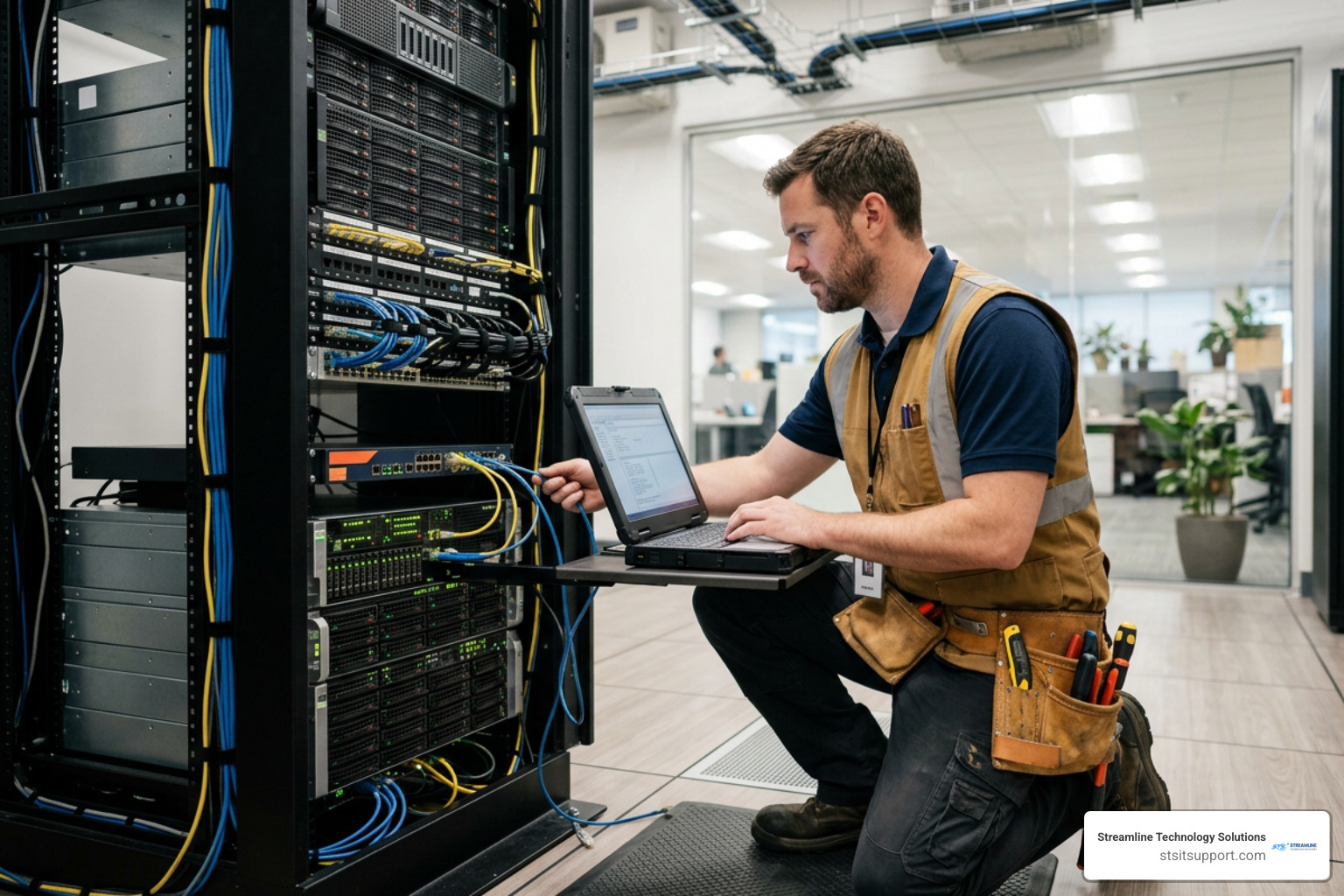
However, physical infrastructure still requires physical care. Hardware setups, network wiring, firewall installation, and major network outages demand expert hands on the ground. A robust provider delivers rapid Onsite IT Support across South Florida areas like Fort Lauderdale, Coral Springs, Deerfield Beach, and Boca Raton when physical intervention is necessary.
Understanding Pricing Models and Cost Structures
Unpredictable IT spending is a major pain point for growing businesses. A quiet month might yield zero tech expenses, followed by an unexpected server crash that generates thousands of dollars in emergency hourly charges.

Switching to fully managed IT support removes financial volatility by replacing surprise bills with an easily budgeted monthly line item.
Breakdown of Pricing Tiers for Fully Managed IT Support
Managed service plans are generally structured on a per-user, per-month basis. This transparent model makes scaling simple: as you hire new employees, your technology costs adjust predictably.
Here is how typical managed support tiers break down:
Cloud Support ($99/user/month): Designed for distributed teams needing baseline support. Includes unlimited help desk assistance, remote monitoring and management (RMM), patch management, endpoint security, backup tracking, and standard Microsoft 365 administration.
Hybrid Support ($139/user/month): Combines complete cloud support with local physical service. Adds local onsite support visits, physical firewall administration, network switch management, and managed VoIP phone service support.
Enhanced Support ($175/user/month): Designed for businesses with high security demands or strict regulatory standards. Builds on lower tiers by adding 24/7 Security Operations Center (SOC) threat hunting, advanced endpoint threat detection, and active compliance framework tracking.
Finding the right fit depends on your industry, physical office presence, and legal exposure. Reviewing options tailored to IT Support Services for Small Business helps match package features directly to your operational footprint.
In-House IT Salaries vs. Outsourced IT Services
Some business owners wonder whether hiring a dedicated, internal IT staff member is better than outsourcing. Looking at the total cost of ownership tells a clear story.
Hiring a single competent IT manager in South Florida typically commands a salary between $80,000 and $110,000 per year. Once you factor in payroll taxes, health insurance, paid time off, continuous technical training, and software management tools, the true expense often tops $130,000 annually.
Worse yet, a single internal staff member:
Goes home at 5:00 PM
Takes vacations and sick leave
Possesses specialized skills in some areas, but lacks deep expertise in others (e.g., dynamic cloud architecture or advanced forensics)
Outsourcing gives you access to an entire team of certified engineers, cloud architects, and security specialists for a fraction of that total cost. You secure 24/7 coverage and broad expertise without payroll overhead. You can read more about balancing internal resources with professional help through dedicated IT Helpdesk Support.
Cybersecurity, Compliance, and Data Protection Standards
Cyberattacks are no longer aimed strictly at Fortune 500 corporations. Small and mid-sized businesses are targeted frequently because attackers know they often lack enterprise-grade defenses. Fully managed IT support integrates modern security protocols directly into your core tech stack.
Essential Tools and Remote Management Software
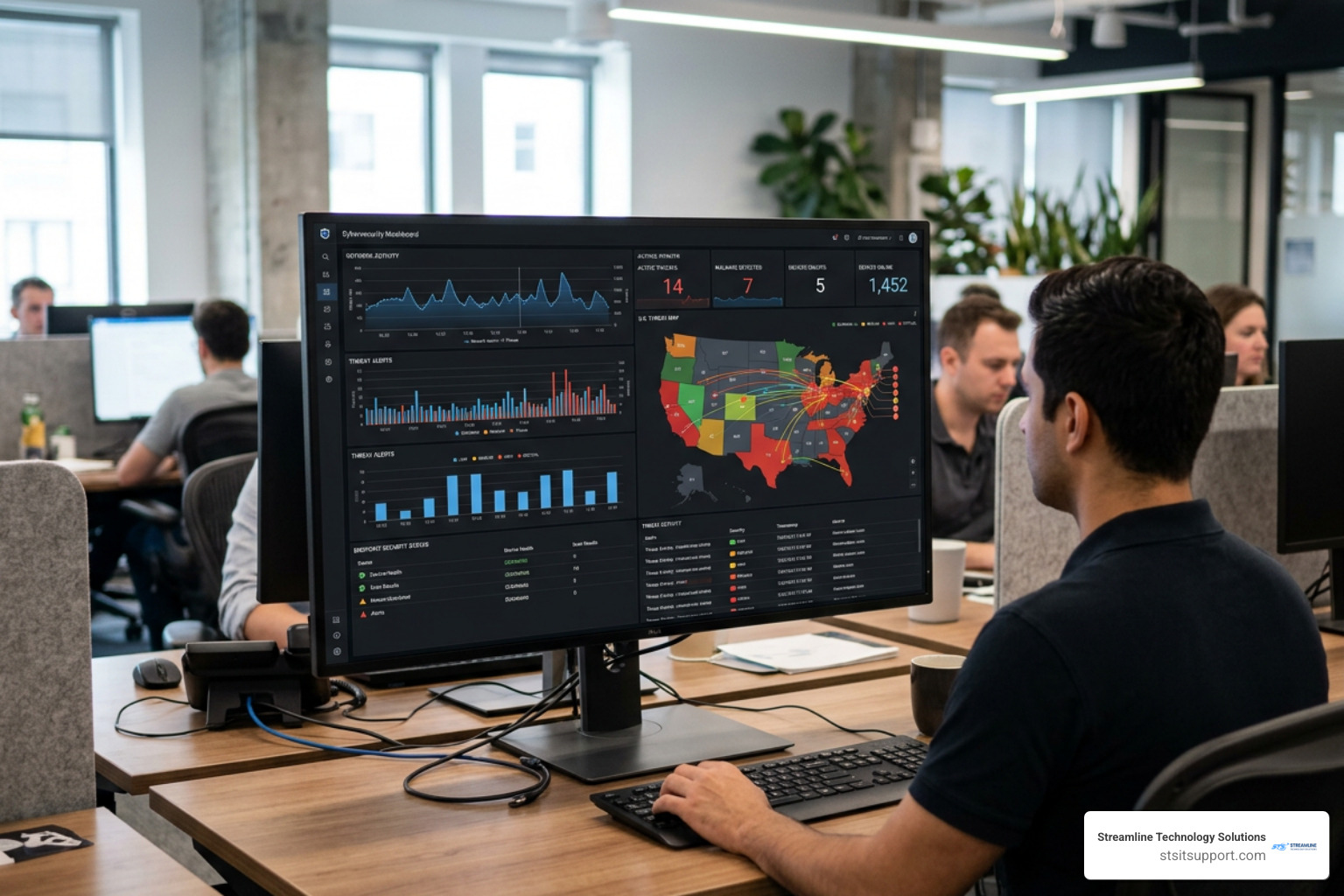
To defend your environment, managed providers deploy centralized software tools that work together seamlessly across your endpoints:
Remote Monitoring & Management (RMM): Gives engineers deep visibility into machine metrics, software inventory, and operating health.
SentinelOne Endpoint Protection: Uses artificial intelligence to analyze behavior, detect zero-day exploits, and stop active ransomware execution in its tracks.
Managed Next-Gen Firewalls: Controls network entry points, blocks malicious incoming traffic, and filters dangerous outgoing web requests using Network Intrusion Detection.
Immutable Cloud Backups: Keeps redundant copies of your files isolated offsite so bad actors cannot encrypted or delete your recovery points during a cyber incident.
Regulatory Compliance Frameworks for Business
If your company handles sensitive customer data, technical compliance isn't optional — it's the law. Managed IT support helps you meet regulatory rules by maintaining structural controls and audit logging:
HIPAA (Healthcare): Requires strict physical access controls, continuous file encryption, access auditing, and formal Business Associate Agreements (BAAs) to handle protected health information safely.
PCI-DSS (Payment Cards): Mandates isolated payment networks, encrypted transaction streams, and strict password protocols for any business accepting credit cards.
GLBA (Financial Services): Requires accounting firms and financial institutions to safeguard consumer records with proactive security assessments and monitored access limits.
Professional firms in regulated spaces benefit significantly from tailored Law Firm Cybersecurity Services and industry-aligned technical controls. Conducting a comprehensive Cybersecurity Risk Assessment is usually the first step to uncover existing gaps in your defenses.
Service Level Agreements, Response Times, and Top Benefiting Industries
When your computers go down, waiting days for assistance hurts your bottom line. Reputable managed IT providers protect your productivity using contractual Service Level Agreements (SLAs) that guarantee quick action.
Our operating benchmark is simple:
Uptime Goal: 99.9% target infrastructure availability
Response Time Target: Initial issue response within 4 hours (or faster for critical outages)
Escalation Protocols: Tiered routing that pushes urgent tickets directly to senior network engineers
Understanding your provider's specific commitments around IT Support Response Time gives you peace of mind that operational roadblocks will be addressed quickly.
Key Industries That Benefit Most
While any organization relying on computers benefits from managed IT, several industries find it indispensable due to high operational risks:
Healthcare Providers: Medical offices need constant system availability to access digital health records and fulfill strict HIPAA requirements without slowing down patient care.
Legal Practice Groups: Law firms manage sensitive documents under strict court deadlines. They cannot afford data leaks or downtime during trial preparation.
Accounting & Financial Services: Tax professionals process private financial records daily and face severe regulatory liabilities if sensitive data is leaked.
General Contractors & Construction: Builders rely heavily on mobile workforces, job site connectivity, secure blueprint access, and VoIP communications across multiple project locations.
Non-Profit Organizations: Non-profits must minimize administrative overhead while protecting donor information and maintaining reliable daily operations.
Businesses searching for trusted Managed IT Services Providers Near Me in South Florida benefit from partners who understand these industry demands.
Key Factors for Small Businesses Choosing an IT Support Provider
Not all managed service providers are built the same. When evaluating potential tech partners, look past slick sales presentations and evaluate operational standards:
Direct Accountability: Ensure you get direct contact with engineers who know your account, rather than anonymous call centers where you have to re-explain your problem every time.
Vendor Management: Choose a team that will deal directly with your internet providers, software vendors, and hardware manufacturers so your staff doesn't have to spend hours on hold.
Self-Service Portals: Verify that employees can submit tickets, monitor request statuses, review invoices, and manage licenses through a user-friendly portal built on solid IT Helpdesk Best Practices.
Step-by-Step Managed IT Onboarding Process
Transitioning your company's technology infrastructure to a new managed provider doesn't have to disrupt your daily operations. A structured onboarding process ensures a smooth handover:
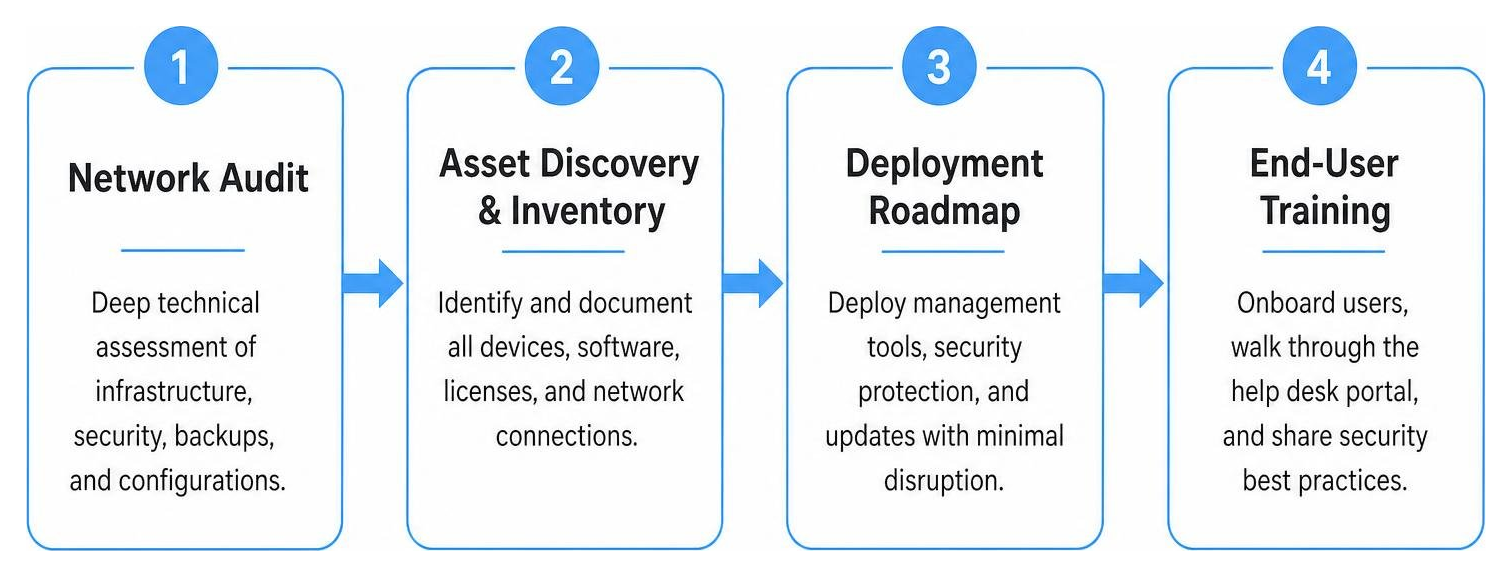
Comprehensive Network Audit: Conducting a deep technical check across all firewalls, cloud environments, backup systems, and server configurations using an IT Audit Fort Lauderdale.
Asset Discovery & Inventory: Documenting every physical device, operating system version, software license, and network connection across your organization.
Deployment Roadmap: Quietly installing standard RMM agents, SentinelOne protection, and software patches across workstations during off-peak hours.
End-User Onboarding & Training: Introduces your employees to the help desk portal, demonstrates how to open support tickets, and shares cybersecurity awareness guidelines.
Frequently Asked Questions About IT Support
What is the typical response time guarantee for critical IT issues?
Standard SLA agreements target an initial response time within 4 hours, though critical outages (like a server going offline or a core network failure) are prioritized for immediate response. Automated ticketing platforms triage incoming issues instantly so urgent problems reach senior engineers quickly. You can read more about how businesses maintain operational uptime in our guide on How Businesses Ensure Fast Reliable IT Support Response Times.
How do providers handle Microsoft 365 licensing and cloud migration?
Managed IT providers handle your complete cloud ecosystem. This includes selecting the best license tier (such as Microsoft 365 Business Basic at $7.20/user/month, Standard at $15.00/user/month, or Business Premium at $26.40/user/month), setting up secure user accounts, and handling step-by-step email or server migrations to modern Cloud Solutions.
Can a business combine internal staff with outsourced support?
Yes, this is known as a co-managed IT model. Under this structure, your internal IT professional handles day-to-day internal requests, while we take care of time-consuming backend management like routine patch deployment, SOC monitoring, network security upgrades, and complex project execution.
Conclusion
Relying on old-school break-fix IT fixes might seem like a way to save money, but hidden downtime expenses, security vulnerabilities, and unpredictable invoices ultimately cost far more.
Switching to fully managed IT support shifts your technology from a constant headache into a reliable competitive advantage. By pairing 24/7 proactive monitoring, enterprise-grade cybersecurity, transparent monthly pricing, and responsive support, your staff can finally stop fighting with technology and get back to growing your business.
At Streamline Technology Solutions, we provide South Florida businesses across Coral Springs, Fort Lauderdale, Boca Raton, Pompano Beach, and Deerfield Beach with clear, local, and fully accountable technology management. No hidden surprises, no complicated jargon — just fast, reliable technology support designed to keep your business moving forward.
Ready to simplify your business technology? Visit Streamline Technology Solutions today to learn how our tailored management plans can protect and scale your organization.