Fortify Your Files with These Secure Cloud Sharing Options
Why Secure Cloud Storage Is Critical for Protecting Your Business Files
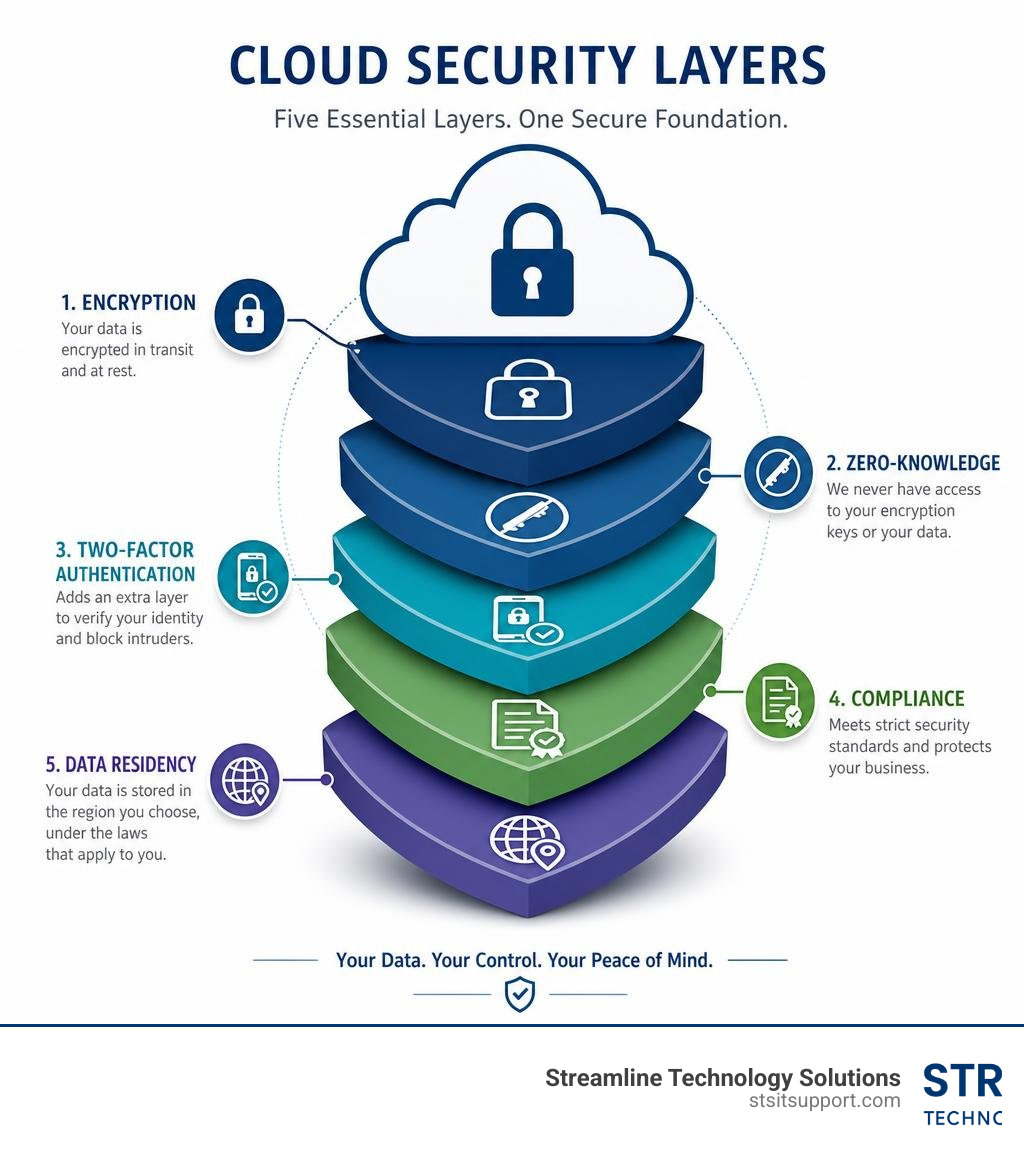
The quickest answer: Here's what makes cloud storage truly secure — and what to look for:
Feature Why It Matters End-to-end encryption Only you can read your files — not even the provider Zero-knowledge architecture The service never holds your decryption keys Two-factor authentication (2FA) Blocks unauthorized access even if passwords leak Compliance certifications (SOC 2, HIPAA, GDPR) Proves the provider meets legal security standards Data residency controls Determines which laws govern your stored data File versioning and recovery Lets you undo ransomware damage or accidental deletion
Secure cloud storage is no longer optional for businesses that handle sensitive files. It is a baseline requirement — and the stakes are high.
Consider this: 82% of data breaches involve data stored in the cloud. At the same time, 60% of all corporate data now lives there. That is a dangerous combination if your storage solution is not built with serious privacy protections.
Most mainstream cloud services do encrypt your data. But here is the part many business owners miss — they hold the master key. That means your files can be read by the provider, accessed by their employees, or handed over to a government agency on request. That is not truly secure.
The good news is that a new generation of privacy-first cloud services has changed the rules. When set up correctly, your files can be mathematically impossible for anyone — including the provider — to read.
I'm Michael Gaigelas, and with 20 years of hands-on experience in IT support, cloud servers, and managed services, I've helped countless South Florida businesses navigate exactly this challenge of finding secure cloud storage that actually does what it promises. In the sections ahead, I'll break down how these systems work, what risks to watch for, and how to choose the right solution for your business.
What is Secure Cloud Storage and How Does It Differ from Regular Options?
To understand how to protect your sensitive files, we first need to draw a clear line between basic online storage and truly secure cloud storage.
Regular cloud storage is designed primarily for convenience, speed, and seamless collaboration. When you upload a file to a standard consumer service, the platform typically encrypts your data while it is traveling over the internet (in transit) and while it sits on their physical drives (at rest). However, the service provider retains the decryption keys. This is known as "managed-key encryption." Because they hold the keys, their automated systems can index your files for search, generate previews, and run AI integrations. But this also means a rogue employee, a server-side software vulnerability, or a government subpoena could expose your private data.
True secure cloud storage, by contrast, is built on a privacy-first foundation. It shifts the ownership of the encryption keys entirely to you, the user. This is achieved through client-side encryption and zero-knowledge protocols. In this setup, your files are encrypted on your local computer or mobile device before they are uploaded to the cloud. The provider only ever receives unreadable ciphertext, and they do not have the keys to decrypt it.
For businesses looking to implement these protections, understanding the underlying network design is crucial. You can learn more about how these assets are structured by reading our guide on Cloud Data Storage.
To make the differences easier to visualize, here is a direct comparison:
Security Dimension Regular Cloud Storage Secure Cloud Storage Encryption Keys Managed and held by the service provider Held exclusively by the user (Client-Side) Provider Access Can read, scan, and index your files Zero access; files are completely invisible to them Ransomware Protection Basic file history (often limited to 30 days) Advanced versioning, isolated vaults, and immutable backups Sharing Security Simple public links with minimal controls Password-protected, encrypted links with self-destruct timers Regulatory Compliance May require complex, expensive enterprise add-ons Compliance (HIPAA, GDPR, SOC 2) is built into the architecture
By choosing a secure platform, you eliminate the provider as a point of vulnerability. If a hacker breaches the cloud host's data center, they will only walk away with encrypted blocks of data that would take supercomputers billions of years to crack.
The Mechanics of Zero-Knowledge Architecture and End-to-End Encryption
The phrase "zero-knowledge" sounds like a bad thing, but in cybersecurity, it is the gold standard. It means the cloud storage provider has zero knowledge of the data you store on their servers. They do not know your password, they do not hold your decryption keys, and they cannot see your file names, file sizes, or metadata.
This architecture relies on client-side cryptography. When you select a file to upload, your local device uses specialized mathematical algorithms to convert your plain text files into encrypted ciphertext. Only after this process is complete is the data sent across the web.
This design is closely related to cryptographic concepts used to verify information without revealing the underlying data. For a deeper look at these mathematical models, you can read about Zero-Knowledge Security Concepts.
By keeping the encryption process entirely on the user's side, you remove the need to trust the provider's internal security staff. Even if a malicious actor gains administrative access to the host's servers, your files remain completely secure.
How Zero-Knowledge Architecture Protects Your Private Keys
In a zero-knowledge system, your password is the foundation of your security, but it is never actually transmitted to the cloud provider's servers. Instead, providers use advanced key derivation functions—such as Argon2id—to turn your password into a cryptographic key locally on your device.
Argon2id is a memory-hard key derivation function designed specifically to resist brute-force attacks powered by high-performance GPUs or specialized ASIC hardware. It forces the computer running the decryption attempt to use significant memory and processing time, making automated guessing attempts mathematically impractical.
Because your master key is derived locally and never leaves your browser or app, there is a major catch: if you forget your password, the provider cannot reset it for you. There is no "Forgot Password" link that can decrypt your files, because they do not have a master key. For this reason, users of zero-knowledge systems must store their master passwords securely, typically in a dedicated local password manager.
Some services, such as Cloud Enclave — Zero-Knowledge Cloud Storage, take this a step further by allowing you to layer client-side zero-knowledge encryption on top of your existing consumer accounts like Google Drive or OneDrive. This gives you the convenience of mainstream platforms with the absolute privacy of local key management.
Why End-to-End Encryption is Essential for Secure Cloud Storage
End-to-end encryption (E2EE) ensures that data is protected at every single stage of its lifecycle: while sitting on your device, while traveling across the internet, and while stored in the cloud data center.
When transmitting files, secure providers use transport-layer security (such as TLS 1.3) to prevent eavesdropping and man-in-the-middle attacks. Once the files arrive at the data center, they are stored using symmetric encryption standards, most commonly AES-256 (Advanced Encryption Standard with a 256-bit key length). AES-256 is the same standard trusted by military organizations and financial institutions worldwide to protect highly classified data.
For detailed technical standards on how organizations implement these protections, you can review the NIST Guidelines on Data Encryption.
To ensure your shared files remain secure, platforms like Sync: Secure Cloud Storage & Internet Storage Services and pCloud - Secure Cloud Storage for Files, Photos & Documents build their entire infrastructure around E2EE, making sure that your business assets are kept private from the moment they leave your local computer.
Key Security Risks and Vulnerabilities in Cloud Environments
While the cloud offers incredible efficiency, it also introduces unique security challenges. Understanding these vulnerabilities is the first step toward mitigating them.
The most common threat vectors include:
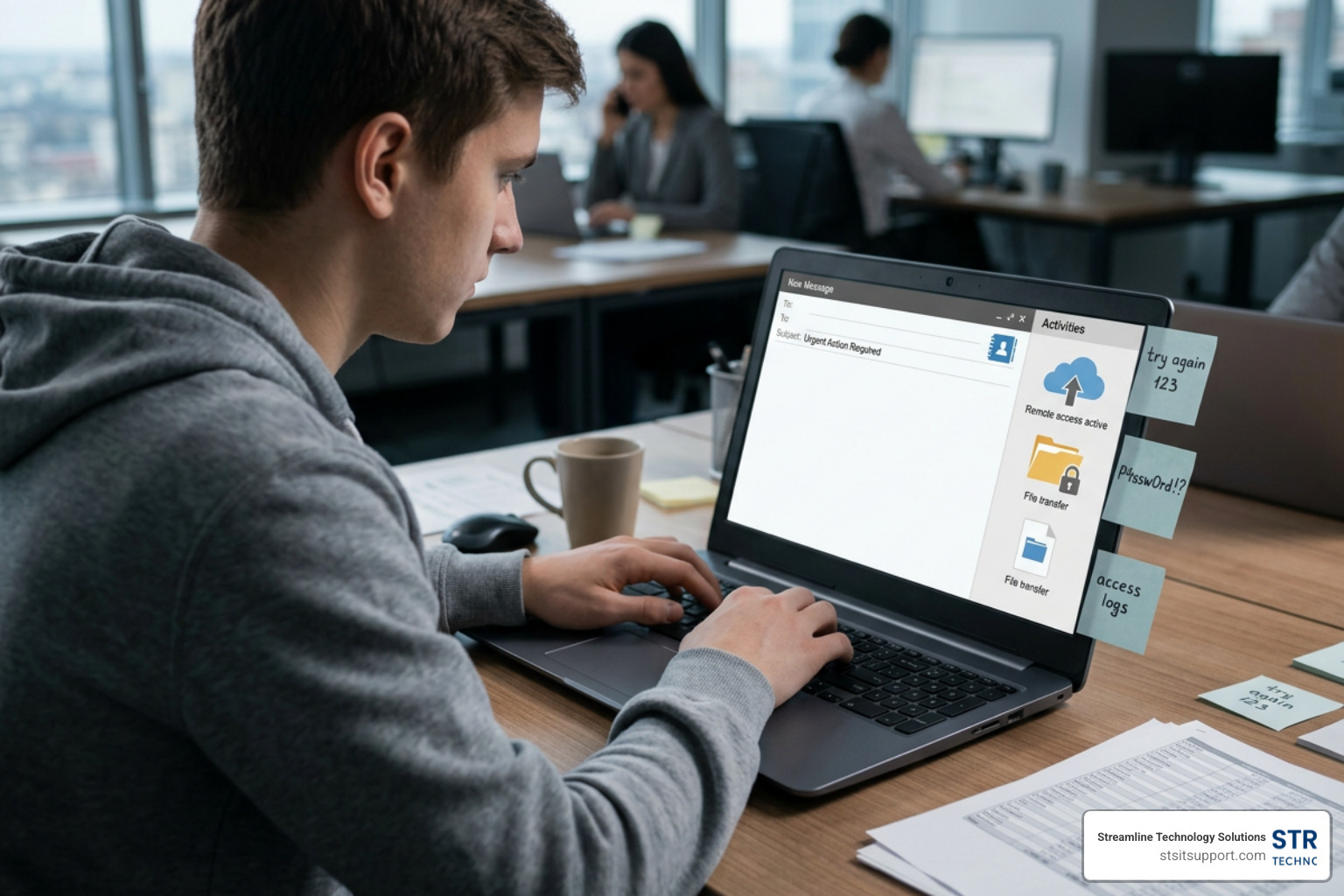
Credential Stuffing and Weak Passwords: Hackers use automated tools to test millions of leaked username and password combinations across various websites. If your employees reuse passwords on their cloud accounts, your entire corporate network could be compromised.
Phishing Campaigns: Attackers craft highly convincing emails designed to trick employees into entering their cloud login credentials on fake portal pages.
Insider Threats: Disgruntled employees or negligent staff members with excessive access privileges can accidentally or intentionally leak sensitive company data.
Insecure File Sharing: Sending public, unencrypted download links via email makes it incredibly easy for unauthorized parties to intercept and download your files.
To help protect your business from these threat vectors, it is important to implement a comprehensive security strategy. You can explore more options for defending your infrastructure by visiting our page on Cloud Solutions.
Data Residency Laws and Server Locations
Where your data physically sits matters just as much as how it is encrypted. Every server in the world is bound by the laws of the country in which it is physically located.
For example, if your files are stored on a server located within the United States, they are subject to US data laws, which grant federal agencies broad authority to subpoena records under certain security frameworks. Conversely, if your files are stored in Switzerland or the European Union, they are protected by incredibly strict privacy regulations, such as Swiss privacy laws and the General Data Protection Regulation (GDPR).
Many secure cloud providers allow you to choose where your data is stored. For instance, pCloud - Secure Cloud Storage for Files, Photos & Documents allows users to select between certified data centers in the United States or Europe, giving you direct control over which legal frameworks govern your company's files.
Compliance Standards: GDPR, HIPAA, and SOC 2
For businesses operating in highly regulated fields—such as healthcare, legal services, or finance—compliance is not just a best practice; it is a legal requirement.
GDPR (General Data Protection Regulation): Requires strict data privacy protections for European citizens, including the right to be forgotten and mandatory breach notification protocols.
HIPAA (Health Insurance Portability and Accountability Act): Mandates rigorous physical, technical, and administrative safeguards to protect protected health information (PHI) in the United States.
SOC 2 (System and Organization Controls): An auditing standard that verifies a service provider's security, availability, processing integrity, confidentiality, and privacy controls.
Implementing compliant file sharing requires a secure, well-managed environment. You can read more about setting up these systems in our guide on Cloud Based Storage for Business.
Many secure storage tools, such as Cloud storage that's 100% private | Trusted since 2011 and Secure IDrive® Cloud Storage, are specifically designed to meet HIPAA, GDPR, and SOC 2 requirements out of the box, making it much easier for medical practices in Coral Springs or financial firms in Boca Raton to maintain compliance.
Best Practices for Securely Sharing Files Online
Even the most secure cloud storage system can be compromised by poor sharing habits. To keep your data safe, follow these essential sharing protocols:
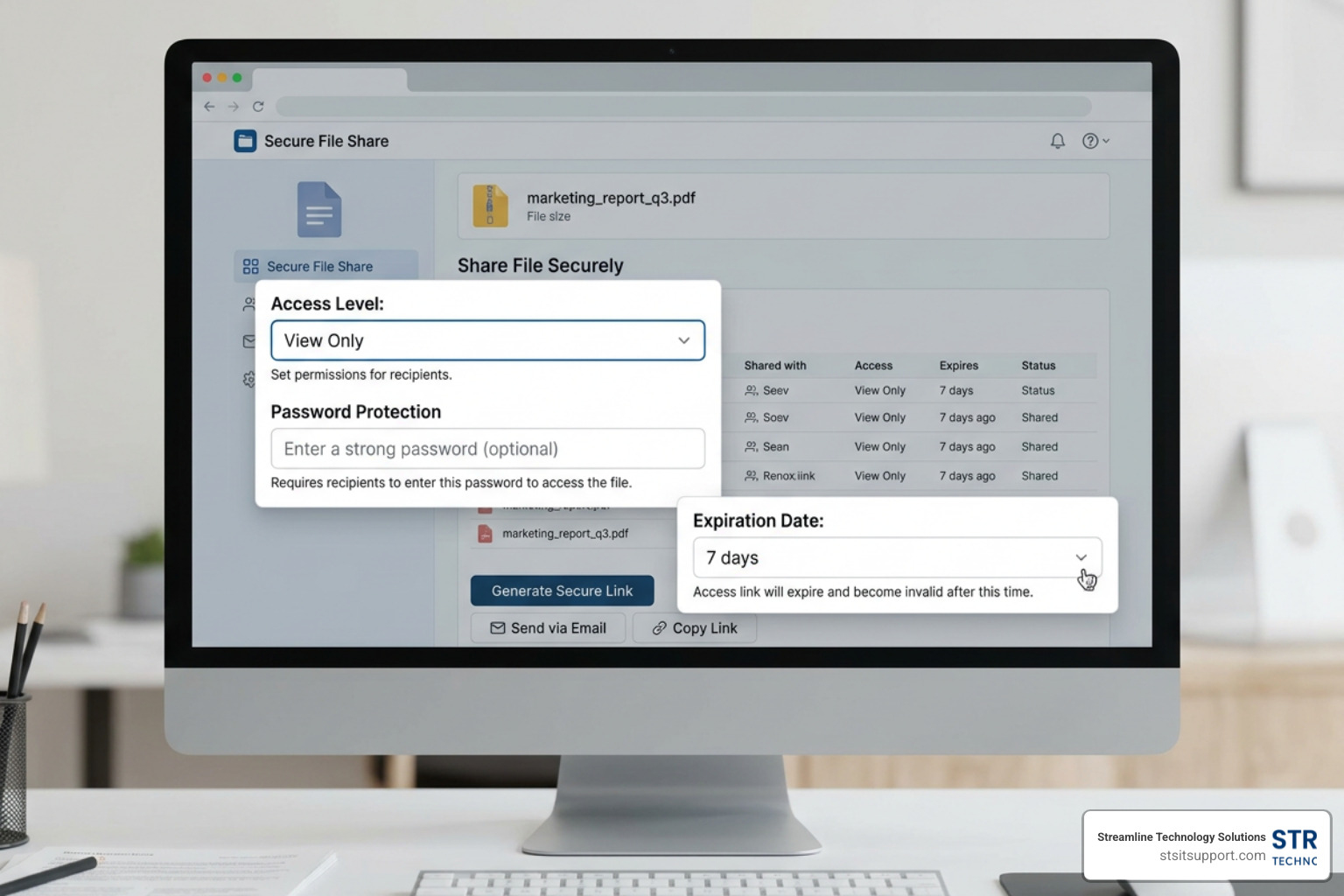
Never Use Open Public Links: Always require a password to access shared files, and send the password through a separate communication channel (like a secure text message or phone call, rather than the same email containing the link).
Set Link Expiration Dates: Limit the lifespan of your shared links. If you are sharing a contract or a financial statement, set the link to expire after 24 or 48 hours to minimize the window of vulnerability.
Enforce Least-Privilege Access: Only give collaborators the exact permissions they need. If someone only needs to review a document, grant them "View Only" access and disable their ability to download, copy, or print the file.
Monitor Shared Link Activity: Routinely audit your active links. If a project is complete, revoke access immediately.
Essential Features to Look For in a Secure Cloud Storage Service
When evaluating secure cloud storage platforms, look for these non-negotiable features:
Multi-Factor Authentication (MFA/2FA): This adds an essential layer of security by requiring a secondary code (from an authenticator app or hardware key) in addition to your password.
File Versioning and Ransomware Recovery: Look for providers that offer at least 30 to 180 days of file history. If your local network is hit by ransomware, you can easily roll your files back to the moment before the infection occurred.
Remote Device Management: If an employee loses their laptop or mobile phone, your administrator should be able to instantly revoke that device's access and remotely wipe any synced cloud data.
Self-Destructing Links: Platforms like Encrypted Cloud Storage by Beeble - best encrypted cloud storage allow you to create links that automatically delete themselves after they are opened or after a set period, ensuring sensitive data does not linger online.
Frequently Asked Questions About Cloud Security
What is the difference between cloud storage and cloud backup?
While they sound similar, cloud storage and cloud backup serve two completely different purposes:
Cloud Storage: This is your active working environment. It is designed for daily file access, real-time collaboration, and easy sharing. When you modify a file in your cloud storage folder, the changes sync instantly across all your devices.
Cloud Backup: This is a disaster recovery solution. It runs quietly in the background, creating automated, historical copies of your entire system. It is designed to preserve your data so you can recover from hardware failures, cyberattacks, or natural disasters.
For comprehensive business protection, you should always combine active secure storage with a dedicated backup plan. To learn more about setting up a resilient recovery system, check out our guide on Disaster Recovery as a Service.
For businesses in South Florida, implementing a unified strategy that combines secure file sharing with automated backup ensures that your operations remain both productive and fully protected against data loss.
Can I add zero-knowledge encryption to my existing cloud storage?
Yes, you do not necessarily have to abandon your current cloud provider to get zero-knowledge security. Tools like Cloud Enclave — Zero-Knowledge Cloud Storage allow you to create secure, encrypted vaults directly inside your existing Google Drive, OneDrive, or Dropbox accounts.
The software runs locally in your web browser or app, encrypting your files before they are uploaded to your mainstream storage account. This allows you to keep the storage capacity and collaboration tools of your existing provider while ensuring that your files are completely unreadable to anyone who does not have your master password.
How do I choose the right secure cloud storage for my business?
Selecting the right provider depends on several factors:
Your Budget and Storage Needs: Small business plans typically range from $15 to $25 per user monthly for comprehensive solutions, while entry-level basic plans start around $5 to $7 per user.
Compliance Requirements: If you are a healthcare provider in Boca Raton or a legal firm in Fort Lauderdale, ensure your provider will sign a Business Associate Agreement (BAA) for HIPAA compliance.
Integration Capabilities: Choose a provider that fits into your existing workflow, whether that means seamless integration with Microsoft 365 or support for your specific line-of-business applications.
For a deeper dive into choosing the right vendor, you can read our detailed breakdown of Cloud Service Providers.
Conclusion
Securing your business files does not have to be an overwhelming or complicated process. By moving away from standard, unencrypted sharing methods and adopting a zero-knowledge cloud storage solution, you can ensure your sensitive company data remains private, compliant, and protected against cyber threats.
At Streamline Technology Solutions, we help businesses throughout South Florida—including Coral Springs, Boca Raton, Fort Lauderdale, Deerfield Beach, and Pompano Beach—design and implement secure, reliable cloud environments. We pride ourselves on offering transparent pricing without hidden fees, fast local support, and direct accountability.
Ready to take control of your data security? Contact us today to build a secure cloud strategy tailored to your business, and Secure your business files today.