
Why Your Server Room Needs a Better Lock Than Your Diary
Why Physical Threats in Cyber Security Are Just as Dangerous as Digital Ones
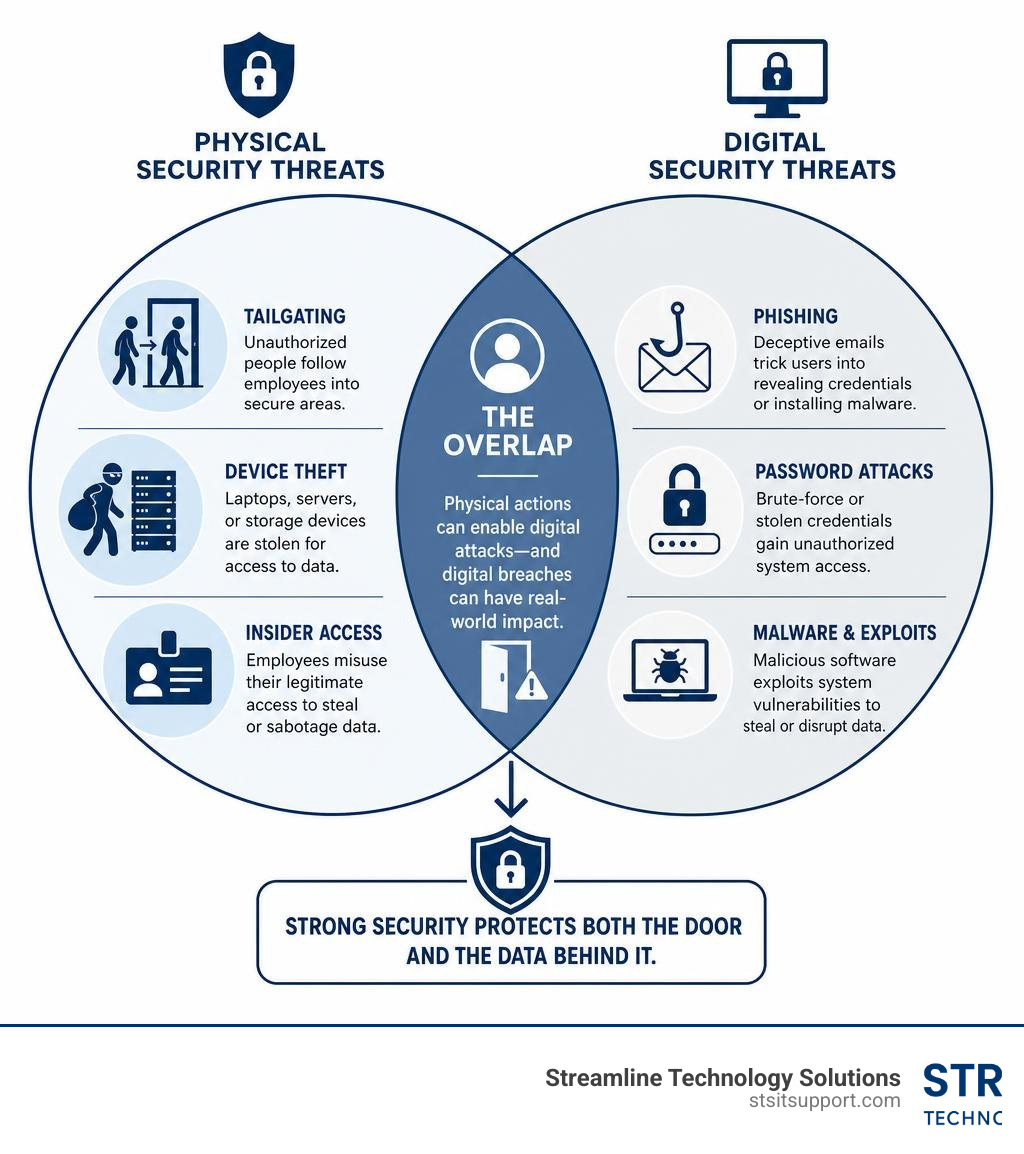
Physical threats in cyber security are real, and they are growing fast. Here is a quick overview of what they are and why they matter:
Common physical threats to cybersecurity:
Tailgating — an unauthorized person follows an employee through a secure door
Device theft — laptops, USB drives, or servers are stolen for data access
Impersonation — attackers pose as IT support or contractors to gain entry
USB baiting — malicious drives are left for employees to plug in
Unauthorized physical access — someone enters a server room or data center without permission
Insider threats — employees misuse their physical access to steal or sabotage data
These threats are not hypothetical. In 2025, 40% of global ransomware attacks involved criminals making physical threats against staff — rising to 46% in the US. And according to FBI warnings issued in 2026, attackers posing as IT support have walked into business facilities, accessed servers, and completed full data theft and extortion within a single business day.
Your firewall cannot stop someone who is already standing in your server room.
Most small businesses spend heavily on antivirus software, firewalls, and cloud security — and almost nothing on protecting the physical spaces where their technology lives. That gap is exactly what attackers exploit.
I'm Michael Gaigelas, and with over 20 years of experience in IT support, servers, and business technology, I have seen how physical threats in cyber security can undo every digital safeguard a business has in place. In the sections below, I will walk you through exactly how these attacks happen — and what you can do to stop them.
Understanding Physical Threats in Cyber Security vs. Digital Risks
When most people think of cybercriminals, they picture a hooded figure sitting in a dark room halfway across the world, typing furiously to crack a firewall. While those hackers certainly exist, a growing number of criminals prefer a much simpler method: walking right through your front door.
Digital security risks live in the virtual realm. They involve software exploits, phishing emails, and brute-force password attacks. Physical threats, on the other hand, target the physical hardware, facilities, and people that support your digital environment.
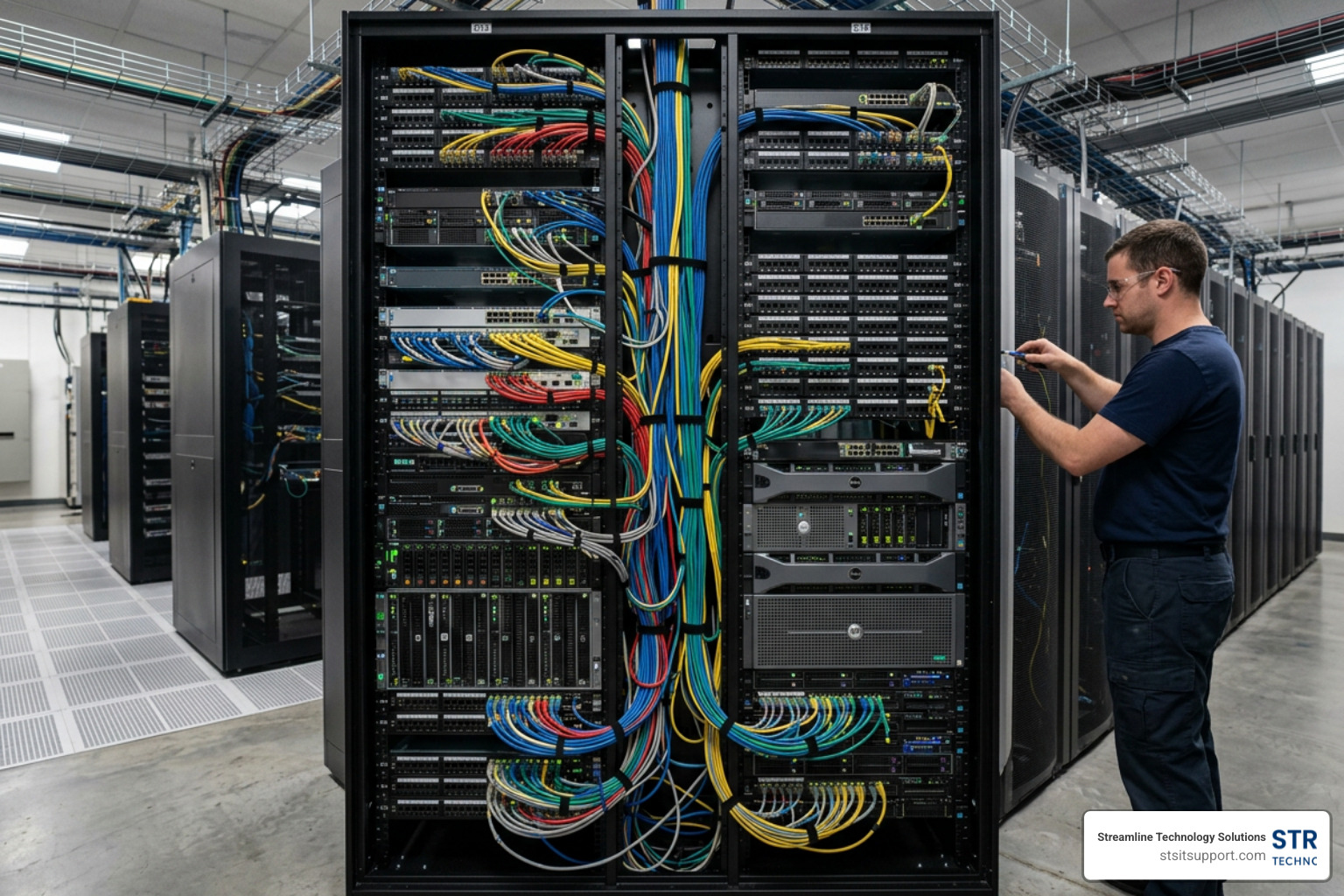
If an attacker can touch your hardware, your digital security is essentially compromised. Once a bad actor has physical access to an unlocked computer, a server rack, or even a network wall jack, they can bypass complex passwords, disable antivirus software, and plant malware directly onto your network. To understand how these physical lapses jeopardize your systems, it helps to look at the broader landscape of Security Threats in Network Security.
The Growing Impact of Physical Threats in Cyber Security
Physical threats are no longer limited to simple hardware theft. The line between digital extortion and physical danger has blurred dramatically.
According to research from Semperis, in 40% of global ransomware attacks in 2025, cybercriminals threatened physical harm to company staff. In the United States, that number rose to 46%. This alarming escalation means extortionists are no longer just locking up files; they are using stolen personal data—like home addresses and Social Security numbers—to terrify employees and pressure executives into paying ransoms.
As reported by the BBC, this shift shows that cybercrime is increasingly turning to real-world intimidation tactics. You can read more about this trend in the report on how Cyber-crime increasingly coming with threats of physical violence - BBC News. When ransomware groups combine network lockouts with physical harassment, incident response moves from a purely technical problem to a safety crisis.
How Physical Access Leads to Network Compromise
How exactly does a physical breach turn into a network-wide disaster? It takes surprisingly little effort once an intruder is inside your office.
USB Drops and Baiting: An attacker leaves a malware-laden USB drive on a desk, in a hallway, or in the parking lot. Curiosity gets the better of an employee, who plugs it into a work computer, instantly giving the attacker a backdoor into the network.
Hardware Keyloggers: A tiny, inconspicuous USB adapter plugged between a keyboard and a computer can record every single keystroke, including admin passwords, and transmit them wirelessly to the attacker.
Direct Network Ports: An intruder walks into an empty conference room, plugs a small rogue device (like a Raspberry Pi or a network tap) directly into an active Ethernet wall jack, and slips away. They now have a permanent, hidden connection to your internal network.
Data Extraction: If your server room is unlocked, an attacker can simply pull out a hard drive, copy sensitive database files, or plug in a bootable USB to bypass the operating system's security entirely.
The Anatomy of a Physical Intrusion: How Attackers Walk In
Physical attacks rarely happen at random. Professional intruders and social engineers follow a structured methodology that mirrors the phases of a digital hack.
To see how these physical tactics translate to the digital world, look at the comparison below:
Physical Intrusion Stage Digital Attack Equivalent What the Attacker Does in the Physical World Stage 1: Intelligence Gathering Reconnaissance / Port Scanning Scopes out the building, watches employee habits, searches trash, and looks up staff on LinkedIn. Stage 2: Gaining Access Exploitation / Infiltration Uses social engineering, tailgating, or fake badges to get past the front desk or secure doors. Stage 3: Executing the Attack Lateral Movement / Exfiltration Plugs in rogue hardware, steals physical devices, or copies data directly from server racks.
Social Engineering at the Front Door
The easiest way to bypass a state-of-the-art electronic lock is to have an employee open the door for you. Social engineering exploits basic human psychology—specifically our natural desire to be polite and helpful.
Tailgating (or piggybacking) is the most common physical breach method. An attacker, perhaps holding a box of donuts or carrying heavy equipment, waits near a secure door. As an authorized employee badges in, the attacker walks in right behind them. Because most people find it awkward or rude to shut a door in someone’s face or demand to see a badge, the intruder gets free access.
Impersonation is another highly effective tactic. Attackers often pose as delivery drivers, elevator inspectors, pest control technicians, or IT support contractors. The FBI has warned that groups like the Silent Ransom Group have targeted professional services firms by calling ahead pretending to be corporate IT, then sending a physical "technician" to the office to install malicious storage devices directly onto computers.
For more details on how these physical breaches occur, see the FBI warning on how Cyberattackers are walking into physical facilities: FBI.
Insider Threats and Unauthorized Access
While we often worry about outside intruders, the threat inside your walls is just as significant. PwC research indicates that 57% of fraud cases involve company insiders.
Insider threats can be malicious, such as a disgruntled employee looking to steal proprietary data before leaving for a competitor. However, they are often simply negligent. Employees share access badges, leave server room doors propped open because the room gets too warm, or write passwords on sticky notes attached to their monitors.
To identify where your business is vulnerable to both internal and external physical risks, it is essential to conduct a comprehensive Cybersecurity Risk Assessment.
The Cyber-Physical Attack Surface: IoT, Connected Devices, and Infrastructure
The explosion of Internet of Things (IoT) devices has created a massive bridge between the physical and digital worlds. Today, your physical security tools—cameras, smart locks, and environmental sensors—are connected directly to your digital network.

While these smart devices make facility management incredibly convenient, they also dramatically expand your attack surface. If an IoT device is not properly secured, it can become the very gateway an attacker uses to compromise your entire corporate network.
Vulnerabilities in Connected Physical Security Devices
Many businesses buy IP-enabled security cameras and smart locks to protect their offices, but they forget that these devices are essentially small computers running software. If they are left with default factory passwords, unencrypted communication protocols, or outdated firmware, they are highly vulnerable.
A hacker sitting in your parking lot could exploit a vulnerability in an outdoor IP camera, gain access to its operating system, and use that foothold to pivot onto your main corporate network. Once inside, they can disable other security cameras, unlock smart doors, or steal corporate data.
Kinetic-Cyber Convergence and Infrastructure Risks
We are also seeing a rise in "kinetic-cyber convergence"—scenarios where a digital attack causes physical destruction, or where physical destruction is used to achieve digital goals.
For example, your server rooms rely heavily on Building Management Systems (BMS) to control HVAC and cooling. If a hacker breaches your BMS, they can turn off the cooling systems, causing your critical servers to overheat, melt, and shut down.
On a larger scale, geopolitical conflicts have shown that physical attacks on infrastructure can instantly cripple digital services. In March 2026, drone strikes physically destroyed cloud data centers in the Middle East, knocking out dozens of cloud services simultaneously. This new reality is detailed in the whitepaper on Kinetic-Cyber Convergence: Physical Destruction of Cloud Infrastructure and the New Resilience Imperative.
The Convergence of Physical and Cybersecurity Functions
Historically, physical security and cybersecurity were treated as entirely separate departments. Physical security was managed by facilities managers, security guards, and locksmiths. Cybersecurity was handled by the IT department.
In 2026, keeping these functions siloed is a major security liability. A physical breach can lead directly to a cyberattack, and a cyberattack can disable physical security controls. True resilience requires these two departments to work hand-in-hand. To bridge this gap, many organizations rely on comprehensive Network Security Services to align their digital defenses with their physical perimeters.
Benefits of a Unified Security Strategy
When you merge physical and digital security functions, your business gains a holistic view of its threat landscape.
For example, if an employee's badge is used to enter a building in Fort Lauderdale, but their digital user account simultaneously logs in from an IP address in Europe, a converged security system can instantly flag this physical-digital anomaly and lock the account.
Unified security also ensures that physical security devices, like security cameras and badge readers, are subjected to the same rigorous patch management and vulnerability scanning as your corporate laptops. For more on integrating these functions, read the guide on Making Physical Security Part of Cybersecurity Best Practices.
Challenges in Merging Physical and Digital Teams
Despite the clear benefits, merging these teams is not always easy. Physical security personnel and IT professionals speak different technical languages and have different priorities.
Facilities teams are focused on physical safety, life-safety codes, and keeping doors operational. IT teams are focused on uptime, data confidentiality, and system patches. Overcoming this organizational friction requires strong leadership, shared communication channels, and unified budget planning to ensure neither side of the security coin is neglected.
Strengthening Your Defenses: Best Practices and Controls
Protecting your business from physical threats requires a "defense-in-depth" approach. This means establishing multiple, overlapping layers of security so that if an attacker gets past one defense, they are stopped by the next.
A great place to start is by evaluating your current physical posture. Conducting a thorough Cyber Security Audit will help you pinpoint weak entry points, unsecured hardware, and gaps in your visitor tracking systems.
Best Practices for Mitigating Physical Threats in Cyber Security
To build a robust physical security posture that protects your digital assets, we recommend implementing the following controls:
Multi-Factor Physical Authentication: Do not rely on simple keycards alone, which can be easily lost or stolen. For high-security areas like server rooms, require both a badge and a biometric scan (like a fingerprint or facial recognition) or a PIN.
Minimizing Physical Access Vectors: Lock your server racks. Keep unused network ports disabled at the switch level so that plugging into a wall jack in an empty office yields no network access.
Secure Hardware Disposal: Never throw old hard drives, laptops, or even printed documents into regular trash bins. Use secure shredding services and data-wiping tools to destroy data before disposing of old equipment.
Physical-to-Logical Protections: Take a page from hyperscale data centers. Implement system self-defense mechanisms that automatically encrypt data, reschedule workloads, or isolate network connections if physical tampering is detected on a server. You can learn more about these advanced strategies in the guide on How Google protects the physical-to-logical space in a data center.
Employee Training and Security Culture
Your employees are your first line of defense. You must train them to treat physical security threats with the same seriousness as phishing emails.
Establish a culture where it is not considered rude to ask an unbadged stranger, "Can I help you find who you're looking for?" or to escort them back to the reception desk. Train your team to recognize common red flags, such as visitors wandering around restricted areas unescorted, or unexpected technicians arriving without a pre-scheduled work order.
Balancing Usability and Security in Facility Design
When designing your office layout in Boca Raton or Fort Lauderdale, you must find a balance between security and daily usability. If your security controls are too frustrating, employees will find ways to bypass them—like propping open a heavy security door with a doorstop.
Use natural architectural design to guide visitors directly to a central, monitored reception area while keeping employee workspaces behind badged access points. For high-security entrances, consider using specialized turnstiles or mantrap portals (double-door entry systems) that physically prevent tailgating by only allowing one person to pass through at a time.
The Cost of Failure: Regulatory, Operational, and Reputational Fallout
Ignoring physical security risks can have devastating consequences for your business. If an attacker walks away with a server or installs a rogue device on your network, the damage goes far beyond the cost of replacing a piece of hardware:
Severe Financial Losses: Business downtime, forensic investigations, and ransom payments can easily total hundreds of thousands of dollars.
Operational Disruption: If your physical infrastructure is damaged or compromised, your daily business operations can grind to a halt for days or weeks.
Irreparable Brand Damage: Clients trust you to protect their sensitive information. A breach caused by an unlocked door can destroy your hard-earned reputation overnight.
Regulatory Compliance and Standards
For many industries, physical security is not optional—it is mandated by law.
If you handle healthcare data (HIPAA) or credit card payments (PCI-DSS), you are legally required to restrict and monitor physical access to the systems containing that data. In the utility and energy sectors, strict regulations like the NERC CIP-006-4c Reliability Standard mandate physical security perimeters, visitor logging, and 90-day physical access logs.
For professional services, such as legal practices, a physical breach can result in massive compliance fines and lawsuits. If you run a firm in South Florida, securing your physical files and local networks is critical. Learn how to safeguard your practice with our specialized Law Firm Cybersecurity Services.
Frequently Asked Questions about Physical Security
What are the most common physical threats in cyber security?
The most common threats include tailgating (unauthorized visitors following employees through doors), the theft of physical devices like laptops or backup drives, social engineering (impersonating IT support or contractors), and USB baiting (leaving malware-infected drives for employees to find and plug in).
How does physical access bypass digital firewalls?
A digital firewall monitors traffic coming in and out of your internet connection. If an attacker physically enters your building and plugs a device directly into an internal network switch or a server's USB port, they are already "inside" the firewall. They can communicate directly with your local systems without their traffic passing through your perimeter defenses.
Why is security convergence necessary for modern businesses?
With the rise of smart offices, IoT cameras, and connected building systems, physical and digital threats are deeply intertwined. A cyberattack can disable your security cameras, and a physical break-in can compromise your digital data. Converging these functions ensures that your physical and IT security teams share threat intelligence and respond to incidents as a unified front.
Conclusion
Your digital security is only as strong as your physical defenses. You can have the most expensive firewall in the world, but if your server room is secured by a basic lock that can be bypassed with a credit card, your business remains highly vulnerable.
At Streamline Technology Solutions, we help businesses across Coral Springs, Boca Raton, Fort Lauderdale, Deerfield Beach, and Pompano Beach build comprehensive, layered defenses that protect both their digital networks and their physical spaces. We pride ourselves on transparent pricing with absolutely no hidden fees, fast local support, and direct accountability.
If you are ready to secure your office, your servers, and your peace of mind, explore our Local Cybersecurity Services Florida.
Don't wait for an uninvited visitor to point out the weak spots in your office. Contact Streamline Technology Solutions today, and let’s make sure your server room has the security it deserves.