Cloud Storage Management for South Florida Companies
Why Cloud Storage in South Florida Is a Critical Business Decision
Businesses searching for cloud storage in South Florida often reach a breaking point before they start looking — a system goes down before a big meeting, files get lost after a power surge, or a hurricane warning sends everyone scrambling to work remotely with no reliable access to their data.
Here is a quick overview of what local businesses need to know:
Topic Quick Answer What is cloud storage? Storing your business files and data on remote servers instead of local hardware Why South Florida specifically? Hurricane risk, power outages, and rapid business growth make cloud backup essential here Key benefit Up to 40% reduction in IT infrastructure costs vs. on-premise systems Top compliance needs HIPAA, PCI-DSS, SOC 2 for healthcare, finance, and legal industries Local vs. national providers Local MSPs offer faster on-site response and more personalized support Uptime expectation Managed cloud services typically deliver 99.9% uptime
South Florida businesses face IT risks that most other regions simply don't — active hurricane seasons, aging power infrastructure, and fast-growing industries like healthcare, legal, and finance that carry strict data compliance requirements. Relying on a local hard drive or an unmanaged server is not just outdated, it's a liability.
I'm Michael Gaigelas, and with over 20 years of hands-on experience in IT support, cloud servers, and managed IT services, I've helped countless South Florida businesses find cloud storage in South Florida solutions that actually work when it matters most. In this guide, I'll walk you through everything you need to make a confident, informed decision for your business.
5 Key Benefits of Cloud Storage South Florida Businesses Rely On

Modern organizations in Fort Lauderdale, Coral Springs, and Boca Raton are rapidly transitioning away from heavy, on-premise physical servers. Navigating this shift requires a deliberate approach to cloud storage management to ensure that migration is seamless, secure, and aligned with your daily operations.
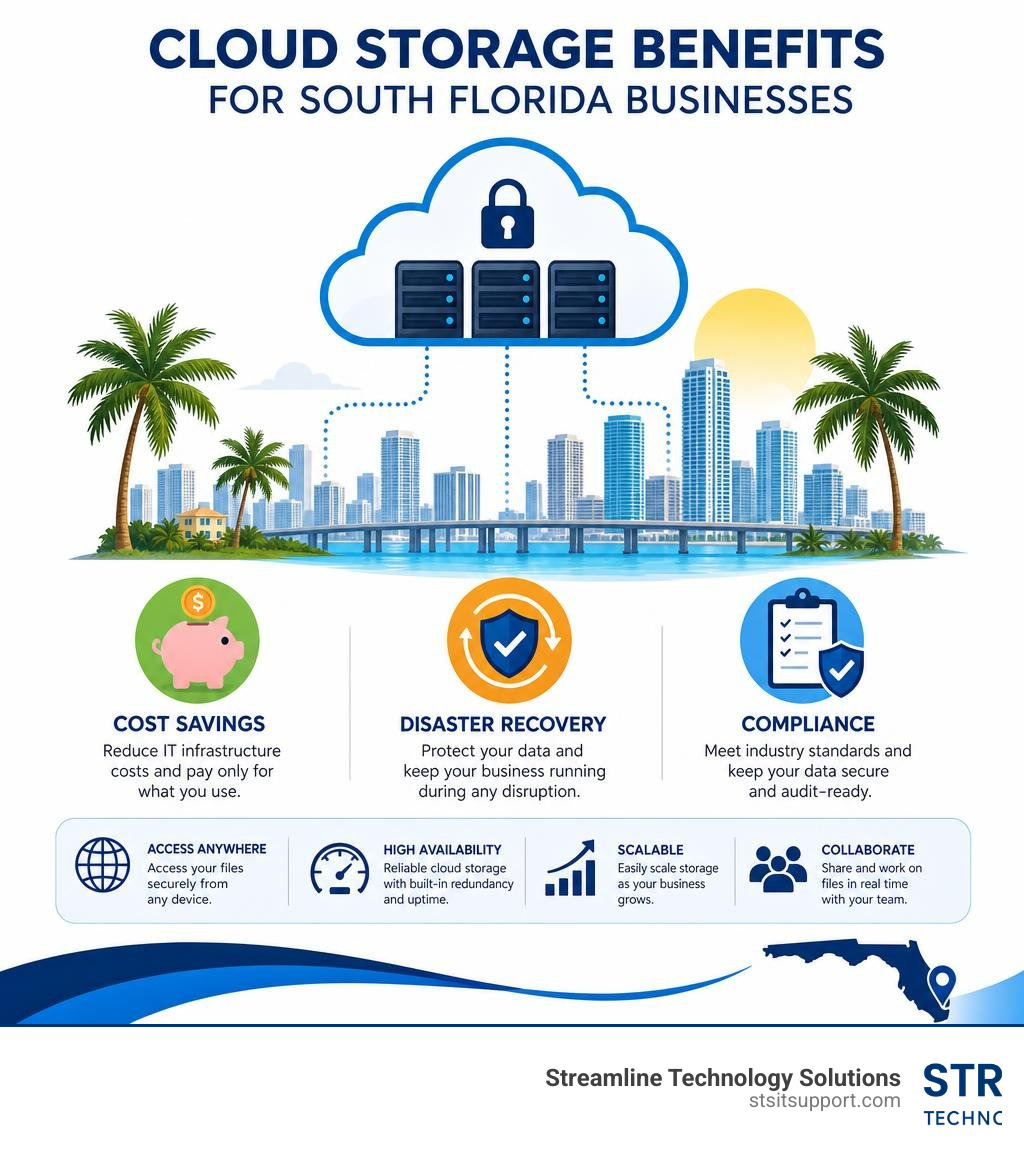
When you move your business assets to the cloud, you are not just changing where your files live; you are changing how your entire business operates. By shifting your core data to a managed cloud environment, you unlock five primary benefits that directly impact your bottom line and daily workflows:
Unmatched Scalability: Never worry about running out of hard drive space or ordering expensive physical drives when your business expands.
Predictable IT Spending: Shift from large capital expenditures (CapEx) to a predictable, flat-fee operational model (OpEx).
Seamless Hybrid Work: Enable your team to securely collaborate from home, a coffee shop in Pompano Beach, or on-site with clients.
Automated Redundancy: Your files are instantly copied to secure, offsite locations without requiring manual intervention from your staff.
Advanced Security Protocols: Benefit from enterprise-grade security, including end-to-end encryption and real-time threat detection, that would be cost-prohibitive to deploy on a single local server.
Scalability and Cost Reductions
One of the most immediate impacts of adopting cloud-based storage for business is the financial relief it brings to your IT budget. Traditional on-premise storage systems require significant upfront investments in physical servers, dedicated cooling systems, and physical space. Plus, you have to pay an IT team to maintain, patch, and eventually replace that hardware every few years.
By transitioning to a managed cloud model, South Florida businesses report an average 40% reduction in IT infrastructure costs compared to traditional on-premise systems. This is achieved through a flexible pay-as-you-go pricing model. Instead of paying for massive servers that you might only use to 20% capacity, you pay strictly for the storage you consume. If your business experiences a seasonal surge or takes on a massive new client in Deerfield Beach, you can scale your storage capacity instantly with the click of a button.
Seamless Integration with Productivity Tools
A cloud storage solution shouldn't exist on an island. To truly revolutionize your workflow, it must integrate deeply with the productivity tools your employees use every single hour. High-performing cloud architectures seamlessly connect with platforms like Microsoft 365 and Google Workspace.
When we deploy modern cloud solutions for our clients, we focus on breaking down silos. This means when an employee in Boca Raton updates a spreadsheet, a team member working remotely in Fort Lauderdale sees those changes in real-time. Document version control happens automatically, eliminating the confusion of having multiple files named "ProjectProposalv2finalactual_final." Furthermore, these integrations allow for advanced workflow automation—such as automatically routing signed contracts directly to secure, compliant cloud archives.
Disaster Recovery and Hurricane Preparedness Strategies
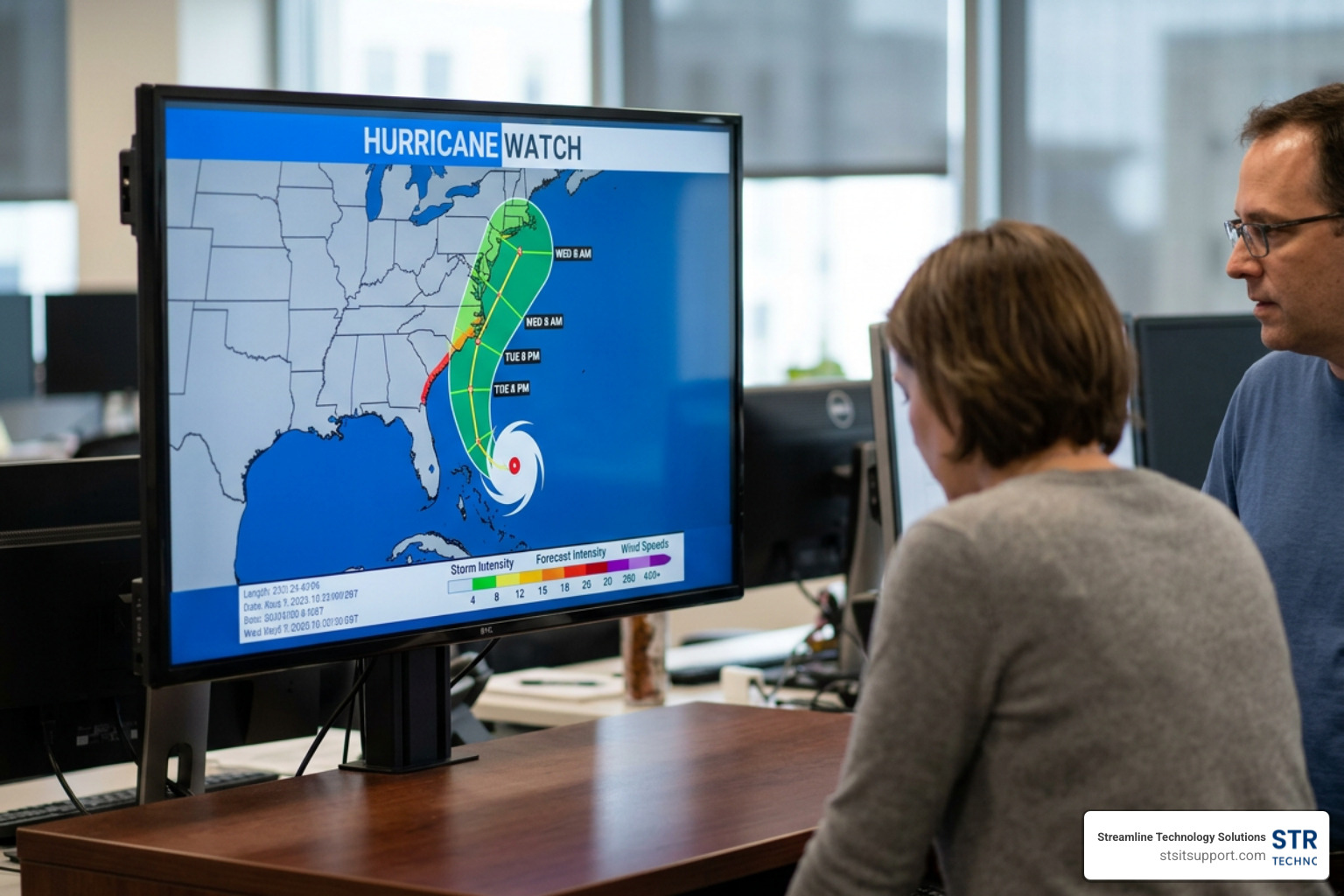
If you operate a business in South Florida, you already know that hurricane preparedness is a standard part of doing business. It is not a matter of if a major storm or severe lightning strike will disrupt local power grids, but when. Relying on physical backup drives kept in your local office is a recipe for catastrophic data loss. If your office floods or loses power for a week, your business grinds to a complete halt.
True business continuity means that even if your physical building is completely inaccessible, your employees can still serve your clients from anywhere in the country. Our managed cloud backup services ensure that our clients experience 99.9% uptime and rapid recovery with minimal downtime during system failures or natural disasters.
Implementing Geographically Redundant Cloud Storage South Florida Infrastructure
To protect your business from localized disasters, your data must be stored far away from the storm's path. This is where geographically redundant storage becomes essential. We design our backup strategies around the industry-recognized 3-2-1-1-0 backup rule:
3: Keep at least three copies of your business data.
2: Store backups on two different types of media (e.g., local fast-recovery appliances and cloud storage).
1: Keep at least one backup copy off-site, physically separated from your primary network.
1: Ensure at least one copy is immutable (cannot be altered or deleted by ransomware).
0: Verify that there are zero errors during regular backup testing.
By utilizing disaster recovery as a service, your critical files are continuously replicated to secure data centers located completely outside of Florida's hurricane zone. If a storm knocks out the power grid in Pompano Beach, your team can seamlessly access your entire digital infrastructure via secure cloud backups, keeping your operations fully functional.
Choosing the Right Backup Methodology
Not all backups are created equal. Depending on your business's data volume, regulatory requirements, and recovery objectives, we mix and match different backup methods to create a customized protection plan.
Backup Method How It Works Best For Recovery Speed Full Backup Captures a complete copy of all selected data. Weekly/monthly baselines and compliance audits. Slowest to back up, but simplest to restore. Incremental Backup Backs up only the data that has changed since the last backup of any kind. Businesses with high volumes of daily file changes. Fastest backup speed; saves bandwidth. Differential Backup Backs up all data changed since the last full backup. Balancing backup speed with simpler restoration paths. Moderate backup and restore speeds. Hybrid Backup Combines local storage for fast local recovery with cloud storage for disaster protection. Local offices needing immediate file recovery from daily mishaps. Ultra-fast local restores; secure offsite disaster recovery. Cloud-to-Cloud (C2C) Backs up data directly from one cloud service (like Microsoft 365) to an independent backup cloud. Protecting SaaS data from accidental deletion or internal threats. Fast, direct restoration back to the SaaS platform.
Security, Compliance, and Regional Infrastructure Considerations
Many business owners mistakenly believe that moving data to the cloud makes it more vulnerable to cyberattacks. In reality, modern enterprise cloud storage environments are far more secure than typical local office servers. However, achieving this level of protection requires proactive management, strong access controls, and a clear understanding of regional infrastructure.
Meeting Strict Compliance Standards in Regulated Industries
If you operate in the healthcare, legal, or financial sectors in South Florida, you are legally obligated to protect your clients' sensitive information. Industries like healthcare rely heavily on secure cloud storage to maintain strict HIPAA compliance. Similarly, businesses handling credit card payments must adhere to PCI-DSS standards, while financial firms often require SOC 2-certified infrastructure.
We configure cloud environments with advanced security measures like AES 256-bit encryption (both in transit and at rest), multi-factor authentication (MFA), role-based access controls, and detailed audit logs. This ensures that only authorized personnel can access sensitive records, shielding your business from costly compliance penalties and devastating data breaches.
How Local Bandwidth and 5G Affect Cloud Storage South Florida Performance
The performance of your cloud storage is directly tied to the quality of your internet connection. Fortunately, counties like Broward and Palm Beach have seen massive infrastructure upgrades, with widespread fiber-optic internet and high-speed 5G networks.
However, bandwidth congestion can still occur, especially during peak business hours. To prevent your cloud backups from slowing down your office internet, we implement smart bandwidth allocation and Quality of Service (QoS) rules. Additionally, we use edge buffering. If your internet connection briefly drops during a storm, your local systems will buffer data locally and automatically upload it to the cloud the moment connection is restored. This ensures no data is lost during temporary outages.
Learn more about optimizing your local network infrastructure through our Broward County IT services.
Frequently Asked Questions About Cloud Storage Management
What is the difference between cloud storage and physical storage units?
While physical storage units in South Florida are great for archiving old paper files, office furniture, or extra equipment, they do not protect your active digital operations. If you are looking to store physical items locally, you can check out options like Coral Springs Storage Units.
However, for your active business data, digital cloud storage is the only way to ensure real-time access, collaboration, and immediate disaster recovery. Physical archives cannot be searched instantly, they do not back themselves up, and they are still vulnerable to physical damage from storms or fires.
Why is cloud-to-cloud backup necessary for SaaS applications?
Many local business owners believe that because they use Microsoft 365 or Google Workspace, their data is automatically backed up. This is a dangerous misconception.
SaaS providers are responsible for keeping their platform infrastructure up and running, but they are not responsible for recovering your individual data if it is deleted. If an employee accidentally deletes a crucial folder, or if a ransomware attack encrypts your inbox, Microsoft and Google cannot restore your files. A dedicated cloud-to-cloud backup system keeps an independent copy of your SaaS data secure and easily restorable.
How do local MSPs compare to national cloud providers?
National cloud providers offer great underlying infrastructure, but they lack the personal touch and rapid response times that local businesses need. When a critical server goes down at 8:00 AM on a Monday, you don't want to wait on hold with a national call center.
By partnering with a local provider for your South Florida IT services, you get direct access to experienced engineers who understand our local business landscape. We can provide rapid remote support and, if necessary, send a technician directly to your office in Fort Lauderdale, Boca Raton, or Coral Springs to resolve issues on-site immediately.
Conclusion
Managing your business's data shouldn't be a source of constant stress. By partnering with Streamline Technology Solutions, you gain a dedicated IT partner committed to keeping your business secure, compliant, and always online. We pride ourselves on offering transparent pricing without hidden fees, lightning-fast local support, and direct accountability.
Ready to secure your business's digital future and build a resilient disaster recovery plan? Explore our comprehensive Streamline Technology Solutions Cloud Services and schedule your free assessment today!