The Simple Guide to Cloud Service Models
Why Understanding Cloud IaaS, PaaS, and SaaS Can Save Your Business Time and Money
When evaluating cloud IaaS, PaaS, and SaaS options, here is the quick answer most businesses need:
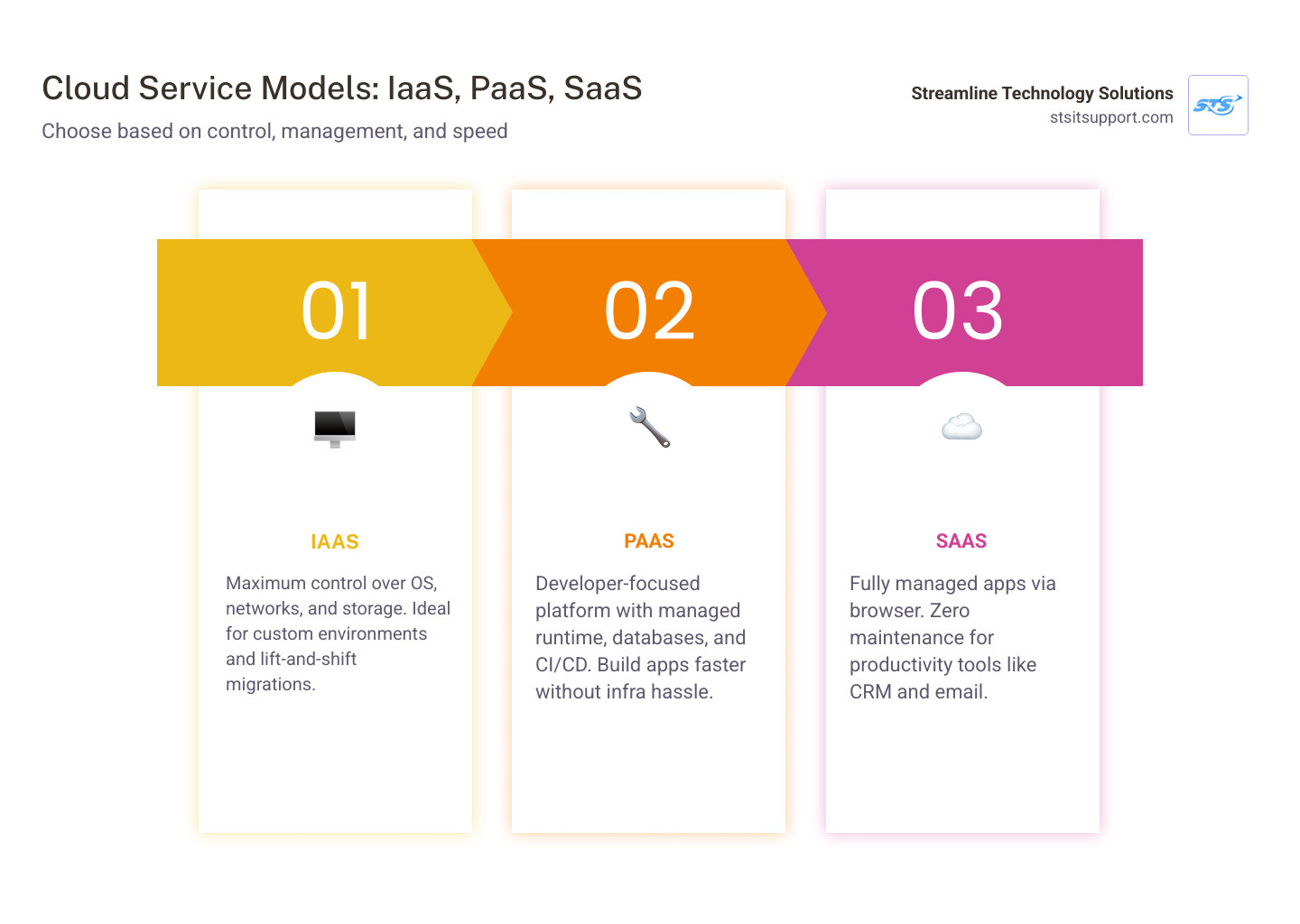
Model What You Get Who Manages Infrastructure Best For IaaS (Infrastructure as a Service) Virtual servers, storage, networking Provider IT teams needing full control PaaS (Platform as a Service) Development tools, runtime, databases Provider Developers building apps fast SaaS (Software as a Service) Ready-to-use applications via browser Provider Teams wanting zero maintenance
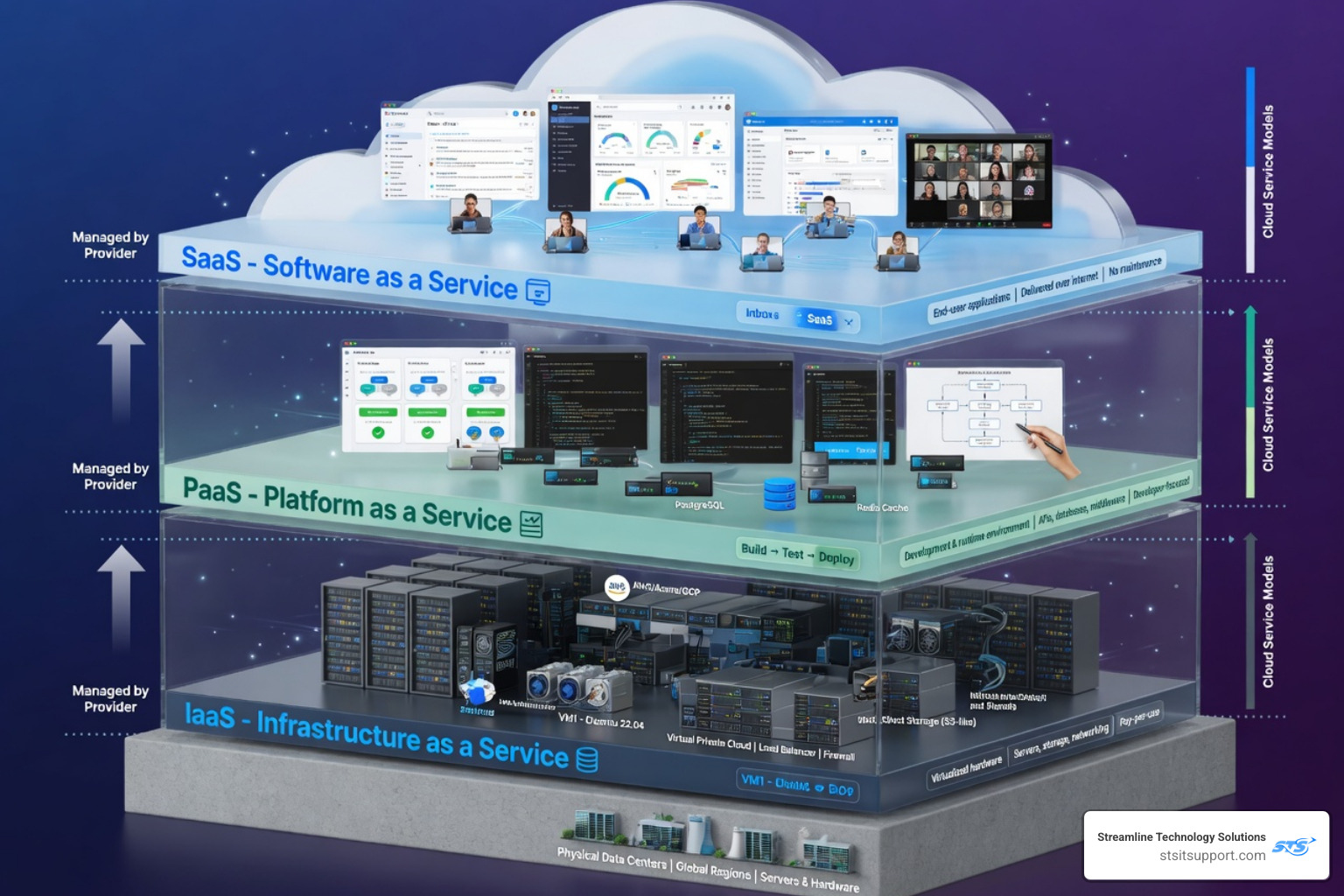
The core difference comes down to how much your team manages versus how much the cloud provider handles.
IaaS gives you the most control — and the most responsibility
PaaS handles the infrastructure so developers can focus on code
SaaS handles everything — you just log in and use the software
Choosing the wrong model can mean paying for complexity you don't need — or losing control you can't afford to give up. Only 40% of businesses feel their cloud spending matches their expectations, which means most organizations are overpaying or over-managing their cloud setup.
I'm Michael Gaigelas, and with over 20 years of hands-on experience in IT support, cloud servers, and managed IT services, I've helped countless South Florida businesses navigate cloud IaaS, PaaS, and SaaS to find setups that actually fit their goals and budgets. In the sections below, we'll break down each model clearly so you can make a confident, cost-smart decision.
What cloud iaas paas saas means
In modern IT, "as-a-service" is a phrase we use to describe how computing resources are delivered over the internet. Instead of buying a physical server, plugging it into a wall in your Pompano Beach office, and worrying about the air conditioning in the server room, you "rent" what you need from a provider.
The terms cloud IaaS, PaaS, and SaaS represent different layers of abstraction. Think of it as a spectrum of responsibility. On one end, you have traditional on-premises IT where you manage everything from the literal hardware to the data. On the other end, you have a fully managed cloud experience where you simply use a tool.
Cloud delivery essentially moves the "heavy lifting" of procurement, maintenance, and capacity planning to a third party. This allows us to focus on what actually moves the needle for our businesses—whether that’s serving clients in Boca Raton or managing a team in Fort Lauderdale—rather than troubleshooting a failing hard drive.
What is Infrastructure as a Service?
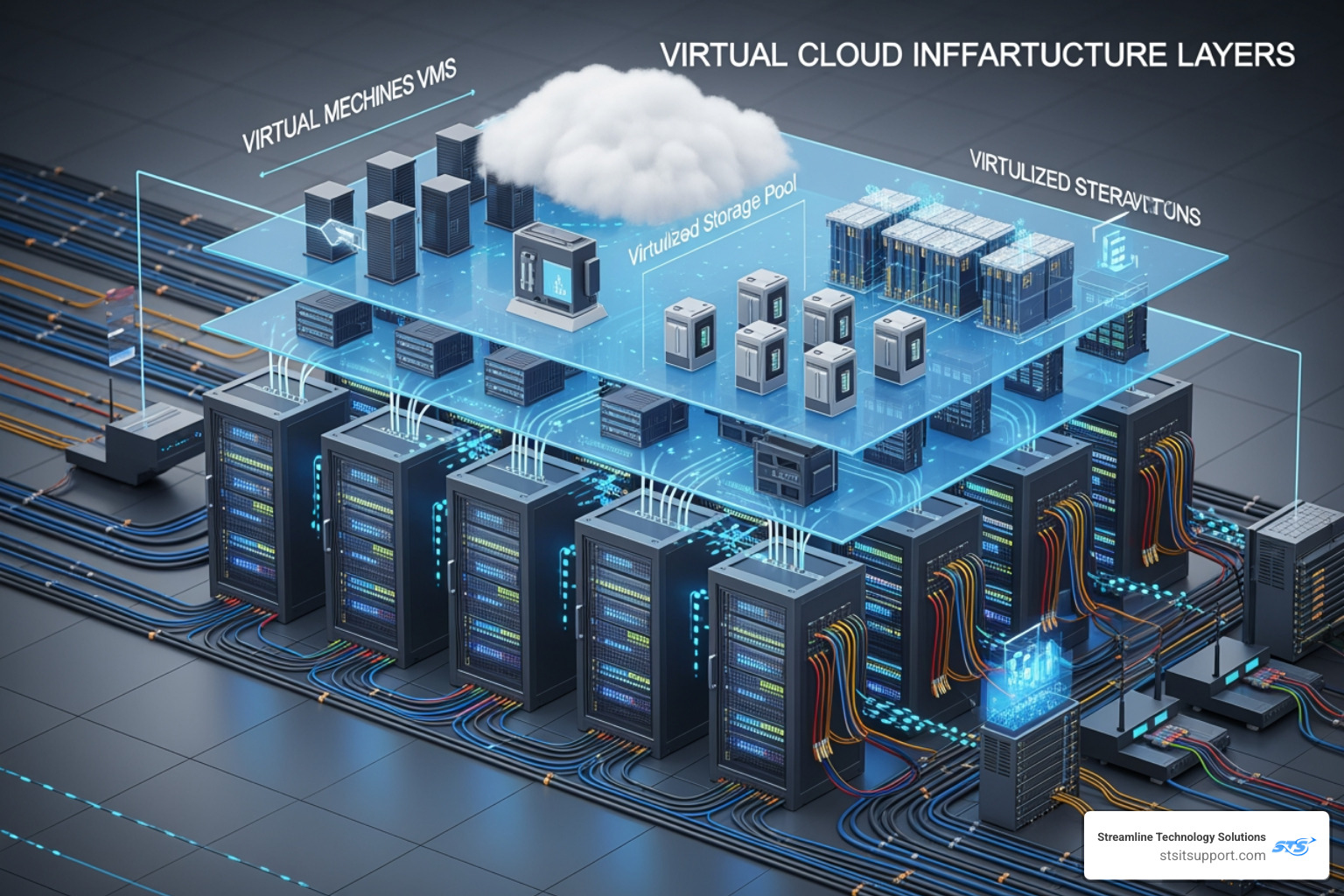
Infrastructure as a Service (IaaS) is the closest thing to having a traditional data center, but without the physical hardware. Through virtualization, a provider turns physical servers into flexible digital resources. You get access to virtual machines (VMs), networking features, and storage.
With IaaS, you have "root access." This means you can install whatever operating system you want, configure complex networking, and set up custom environments. It is the ultimate "blank canvas" of the cloud.
Common reasons we see businesses move to IaaS include:
Dev/Test Environments: Quickly spinning up a server to test a new application and tearing it down when finished.
Lift-and-Shift: Moving a legacy application that was designed for a physical server into the cloud without having to rewrite the code.
High-Performance Computing: Handling massive workloads or AI simulations that require specific CPU and RAM configurations.
What is Platform as a Service?
Platform as a Service (PaaS) is the "middle child" of cloud models. It provides the hardware and a software-integrated platform, including middleware, development tools, and database management systems.
The beauty of PaaS is that it removes the need for your team to manage the underlying operating system or hardware. If you are a developer in Deerfield Beach building a custom mobile app, you don’t want to spend your Saturday night patching a Linux kernel. You want to write code. PaaS allows you to do exactly that. It supports the entire web application lifecycle: building, testing, deploying, managing, and updating.
What is Software as a Service?
Software as a Service (SaaS) is the most common model we encounter in our daily lives. If you use web-based email (like Gmail or Outlook), a CRM (like Salesforce), or accounting software (like QuickBooks Online), you are using SaaS.
In this model, the provider manages everything. You don’t worry about how the data is stored, how the app is updated, or what server it’s running on. You simply access the application via a web browser or a thin client. It is the ultimate "plug-and-play" solution for business productivity.

Cloud iaas paas saas compared by control, cost, and responsibility
Choosing between cloud IaaS, PaaS, and SaaS is always a trade-off between control and convenience.
Control: IaaS offers the most; SaaS offers the least.
Flexibility: IaaS allows for high customization; SaaS is generally "as-is" with some configuration options.
Administration: IaaS requires a highly skilled IT team; SaaS requires almost none.
One of the biggest traps businesses fall into is "SaaS sprawl"—where apps proliferate across the company without IT oversight, leading to security gaps and wasted money. Conversely, choosing IaaS when you don't have the DevOps talent to manage it leads to a high Total Cost of Ownership (TCO) because human capital is expensive.
Who manages what in each model?
The "Shared Responsibility Model" is a critical concept in cloud security. A provider will always secure the physical infrastructure (the data center, the actual metal servers), but the higher up the stack you go, the more the provider takes off your plate.
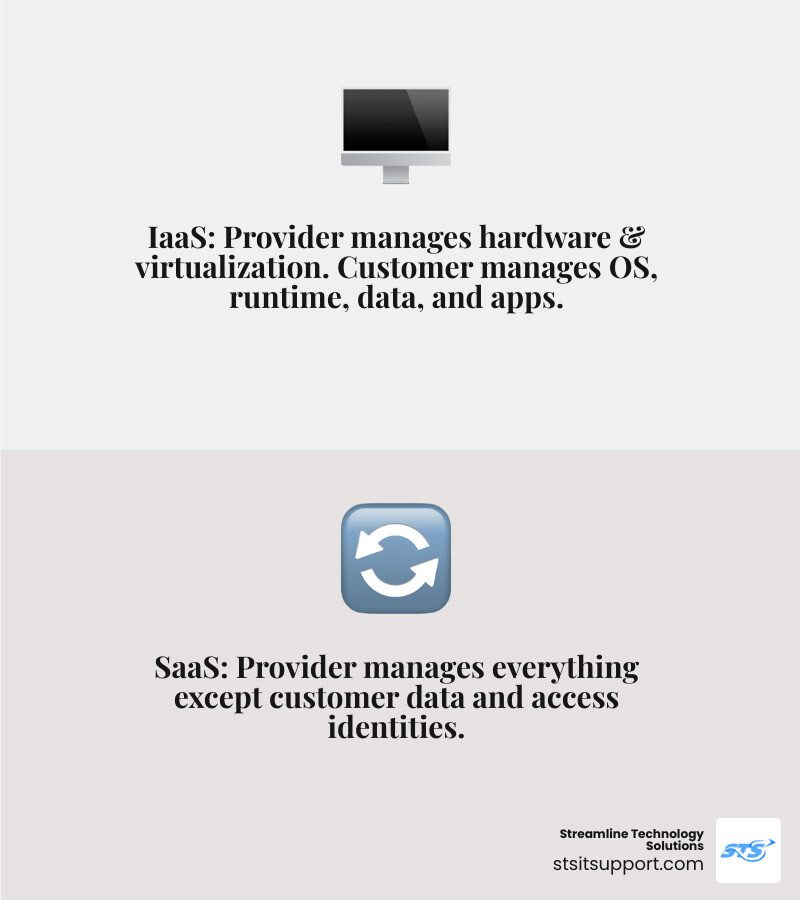
In IaaS: The provider handles the hardware and virtualization. You handle the OS, runtime, data, and applications.
In PaaS: The provider handles the hardware, OS, and runtime. You handle the application code and the data.
In SaaS: The provider handles everything except your data and who you allow to access the system (identity).
How pricing differs across IaaS, PaaS, and SaaS
Pricing models vary significantly, and this is where that 60% of businesses overspending on cloud usually get tripped up.
IaaS: Usually follows a "pay-as-you-go" or usage-based billing. You pay for the CPU cycles, the gigabytes of storage, and the data transferred. It is highly scalable but can be unpredictable if you don't monitor it.
PaaS: Often uses a mix of usage-based and tier-based pricing. It absorbs the labor costs of system administration into the platform fee, which often makes it more cost-effective than IaaS for app development.
SaaS: Almost exclusively subscription-based (per user, per month). This provides the highest cost predictability, though "zombie" subscriptions for former employees can drain your budget.
Benefits and drawbacks of each model
Feature IaaS PaaS SaaS Speed to Market Days/Weeks Hours/Days Instant Customization Unlimited High (for code) Low Maintenance High Low None Vendor Lock-in Low Medium High
The biggest drawback of SaaS is vendor lock-in; it can be very hard to move your data if you decide to change providers. The drawback of IaaS is the operational overhead—you need experts to keep the lights on.
When to choose each model for your business
As of May 2026, the cloud landscape is more diverse than ever. Most businesses in South Florida aren't just picking one; they are using a combination. However, there are specific triggers for each.
Choose IaaS when you need maximum control
If your business in Fort Lauderdale is running a legacy accounting system that requires a specific version of Windows Server, IaaS is your best bet. It’s also the right choice for:
Disaster Recovery: Replicating your entire on-premises environment in the cloud so you can flip a switch if a hurricane hits.
AI and Big Data: When you need to harness massive computing power for short bursts of time.
Network Customization: If you need specific firewall configurations or virtual private clouds.
Choose PaaS when speed and developer productivity matter
If you are a startup in Boca Raton trying to launch a Minimum Viable Product (MVP), PaaS is your best friend. It allows you to:
Focus on APIs: Easily build and manage the "glue" that connects different software.
Collaborate: Geographically dispersed teams can work on the same code base in a managed environment.
Automate: Use built-in CI/CD (Continuous Integration/Continuous Deployment) tools to push updates without downtime.
Choose SaaS when the goal is simplicity and fast adoption
For standard business functions, SaaS is the default. There is no reason to build your own email server or CRM in 2026.
Remote Work: SaaS tools are designed to be accessed from anywhere—perfect for a team spread across Coral Springs and Ft. Lauderdale.
Lower Upfront Costs: You avoid the capital expenditure (CapEx) of buying servers and move to an operational expense (OpEx) model.
Common use cases and target audiences
Today, 78% of businesses use multiple cloud providers. Here’s how the target audiences usually break down:
IaaS: System Administrators, Network Architects, and Researchers.
PaaS: Software Developers and DevOps Engineers.
SaaS: End users, HR teams, Sales departments, and SMB owners.
Building a hybrid strategy with cloud iaas paas saas
The most successful organizations don't just use one model; they build a layered approach. By the end of 2025, over 85% of organizations had adopted hybrid or multicloud approaches.
How organizations combine IaaS, PaaS, and SaaS
A typical South Florida business might:
Use SaaS (Microsoft 365) for daily communication and document storage.
Use PaaS to host their custom-built customer portal.
Use IaaS to run a secure, private database that holds sensitive client records.
This strategy ensures resilience. If one provider has an outage, your entire business doesn't go dark.
Where CaaS and FaaS fit next
As we move deeper into 2026, two other models have become mainstream:
CaaS (Containers as a Service): An extension of IaaS that uses containers (like Docker) instead of full virtual machines. It’s faster and more portable.
FaaS (Function as a Service): Often called "Serverless." You only pay for the milliseconds it takes to run a specific piece of code (like processing an image upload).
Security considerations in hybrid and multi-model environments
Security becomes more complex in a hybrid world. You need consistent access control and encryption across all layers. Data residency is also a major factor—knowing exactly where your data is stored is vital for compliance with industry regulations.
For more detailed insights on choosing the right partners, check out our guide on Cloud Service Providers.
How major providers implement IaaS, PaaS, and SaaS
The "Big Three" (AWS, Azure, and Google Cloud) all offer a mix of cloud IaaS, PaaS, and SaaS.
AWS tends to focus on providing the "building blocks" and gives you immense flexibility.
Microsoft Azure is often the choice for businesses already deep in the Windows ecosystem, offering seamless integration with SaaS tools like Teams.
Google Cloud is frequently praised for its high-performance networking and its strength in CaaS (Kubernetes).
What to look for in a provider
When we help clients in Pompano Beach or Deerfield Beach choose a provider, we look at:
SLAs (Service Level Agreements): What is their uptime guarantee?
Transparency: Are there hidden fees for data egress (moving data out of the cloud)?
Local Support: If something goes wrong, can you talk to a human who understands your business?
Further reading on cloud service models
To dive deeper into how the industry giants define these roles, you can explore these resources:
Frequently Asked Questions about cloud iaas paas saas
Which cloud model offers the most control?
IaaS (Infrastructure as a Service) offers the most control. It gives you access to the operating system, the middleware, and the network configuration, allowing you to build a highly customized environment.
Can a company use IaaS, PaaS, and SaaS at the same time?
Absolutely. In fact, most do. Using a "layered stack" allows you to use SaaS for standard tasks (like email), PaaS for your custom apps, and IaaS for your heavy-duty infrastructure needs.
Is CaaS or FaaS replacing IaaS, PaaS, and SaaS?
No, they are complementary. CaaS (Containers) is often seen as an evolution of IaaS, while FaaS (Serverless) is a more specialized form of PaaS. They provide more options for developers but don't eliminate the need for the core models.
Conclusion
Navigating cloud IaaS, PaaS, and SaaS doesn't have to be a headache. The goal is to find the right "fit" for your specific business roadmap. Whether you are looking to offload the burden of server maintenance or you need a high-performance environment to build the next big app, there is a cloud model that fits your needs.
At Streamline Technology Solutions, we pride ourselves on providing transparent pricing and fast, local IT support to businesses across South Florida—from Boca Raton to Fort Lauderdale. We believe in direct accountability and helping you avoid the 60% of businesses that overspend on their cloud products.
Ready to optimize your cloud strategy? Explore our managed services here and let's build a setup that actually works for you.