Everything You Ever Wanted to Know About the IT Support Desk
What Is an IT Support Desk (and Why Does Your Business Need One)?
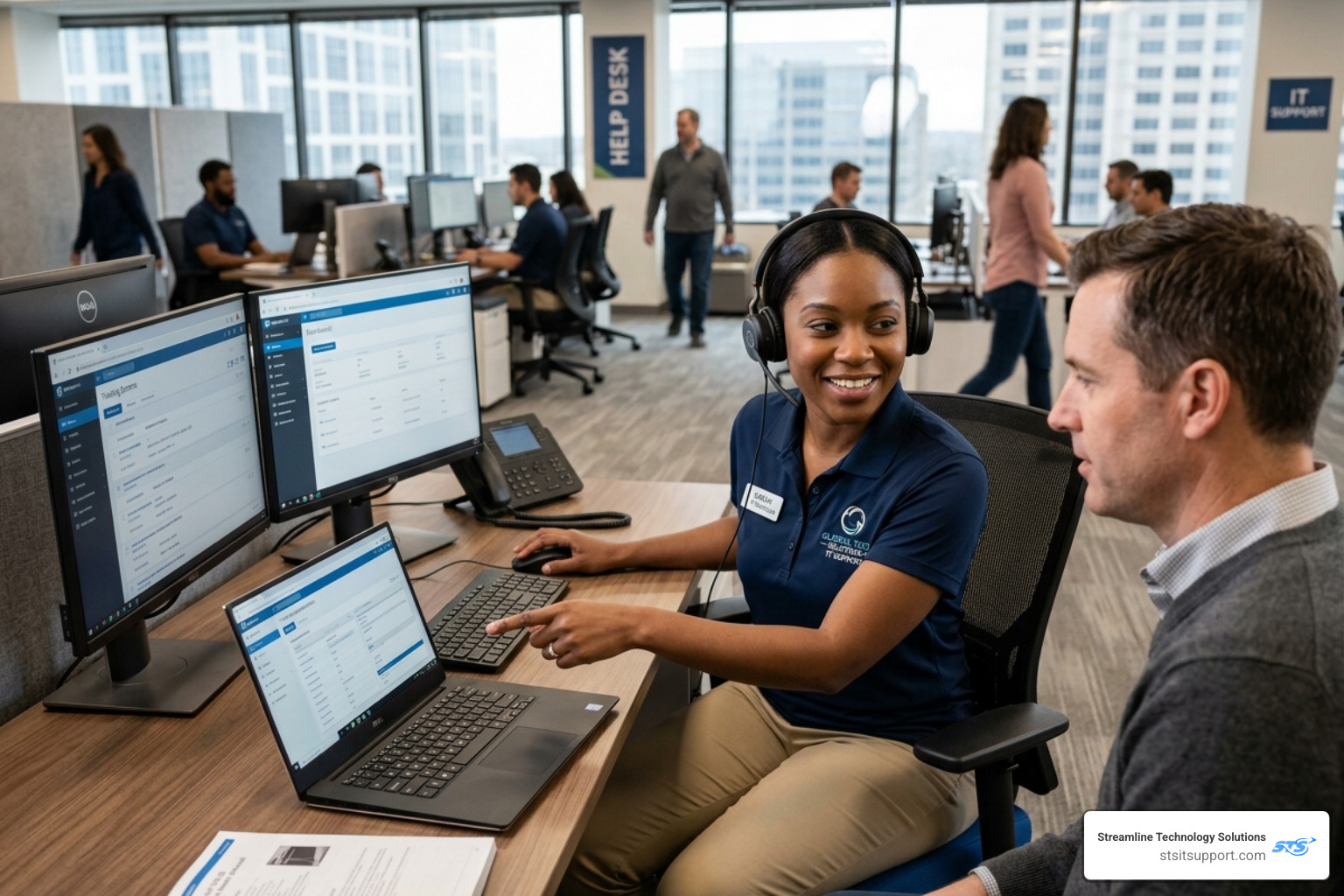
An it support desk is the central point of contact where employees or customers go to get help with technology problems — from password resets and software glitches to network outages and hardware failures.
Here's a quick breakdown of what an IT support desk does:
Function What It Means Single point of contact One place to report all tech issues Ticket management Every request is logged, tracked, and resolved Prioritization Urgent problems get handled first Escalation Complex issues move to more specialized technicians Reporting Data is collected to improve future support
Think of it as the front door to all things IT. When something breaks — or before it breaks — the support desk is where help begins.
For small businesses especially, a well-run IT support desk is the difference between a minor hiccup and a costly day of downtime. One team handling nearly 2,000 tickets a month reported saving 35% of their ticket handling time simply by using automation — that's 8 minutes per ticket back in their day.
Whether you're running a 10-person office in South Florida or managing a distributed team, having a reliable, responsive IT support desk isn't a luxury. It's a core part of keeping your business running.
I'm Michael Gaigelas, and with 20 years of hands-on experience in IT support desk operations, managed services, cloud servers, VoIP, and business technology, I've seen what separates an IT support desk that frustrates users from one that genuinely moves a business forward. In this guide, I'll walk you through everything you need to know to understand, evaluate, and choose the right IT support desk solution for your business.
Defining the IT Support Desk: Help Desk vs. Service Desk
While people often use these terms interchangeably, in ITIL (Information Technology Infrastructure Library), there are distinct differences between a help desk and a service desk. Understanding these differences helps us determine what kind of support our business actually needs.
A help desk is generally considered "tactical." Its primary goal is "break-fix" support. If your printer isn't connecting or you've forgotten your Windows password, the help desk is who you call. It focuses on the end-user and immediate problem resolution.
On the other hand, a service desk is more "strategic." It looks at the bigger picture of how technology serves the business. While it still handles the daily "break-fix" issues, it also manages the entire lifecycle of IT services, including change management (like upgrading an entire server) and problem management (finding out why the printer keeps breaking every Tuesday).
Feature Help Desk Service Desk Primary Focus Tactical (Fixing what is broken) Strategic (Overall service delivery) Scope Incident Management Incident, Change, & Problem Management Goal Quick resolution for the user Business-wide IT efficiency Philosophy Reactive Proactive and ITIL-aligned
In many modern environments, these lines have blurred. Many organizations now use an integrated model that provides the quick response of a help desk with the long-term planning of a service desk. For a deeper look at how these systems integrate with broader technology initiatives, you can explore more about Support | Information Technology.
The Architecture of an Effective IT Support Desk
An effective it support desk isn't just a group of people answering phones; it is a sophisticated ecosystem of software, processes, and people. At its heart is the ticketing system. This software acts as the "brain" of the operation, ensuring that no request falls through the cracks.
Modern support desks utilize multi-channel intake. This means users can submit requests via email, a web portal, phone calls, or even through collaboration tools like Slack or Microsoft Teams. Once a request enters the system, automation rules take over. These rules can automatically assign a ticket to the right department based on keywords or the user’s location.
Artificial Intelligence (AI) has also revolutionized this architecture. AI chatbots can now handle "Tier 0" requests—common issues like password resets or "how-to" questions—without a human agent ever needing to get involved. This frees up our human technicians to focus on more complex IT projects that require critical thinking.
Key Features of IT Support Desk Software
To run a smooth operation, the software behind the it support desk needs several "must-have" features:
Centralized Communication: All messages from different channels end up in one unified inbox.
Auto-Routing: Tickets are sent to the specific technician best suited to solve them.
Custom Fields and Tagging: This allows us to categorize tickets deeply, helping us spot trends (like a specific batch of laptops that all seem to have battery issues).
API Integrations: The desk should talk to your other business tools, like HR software or CRM systems.
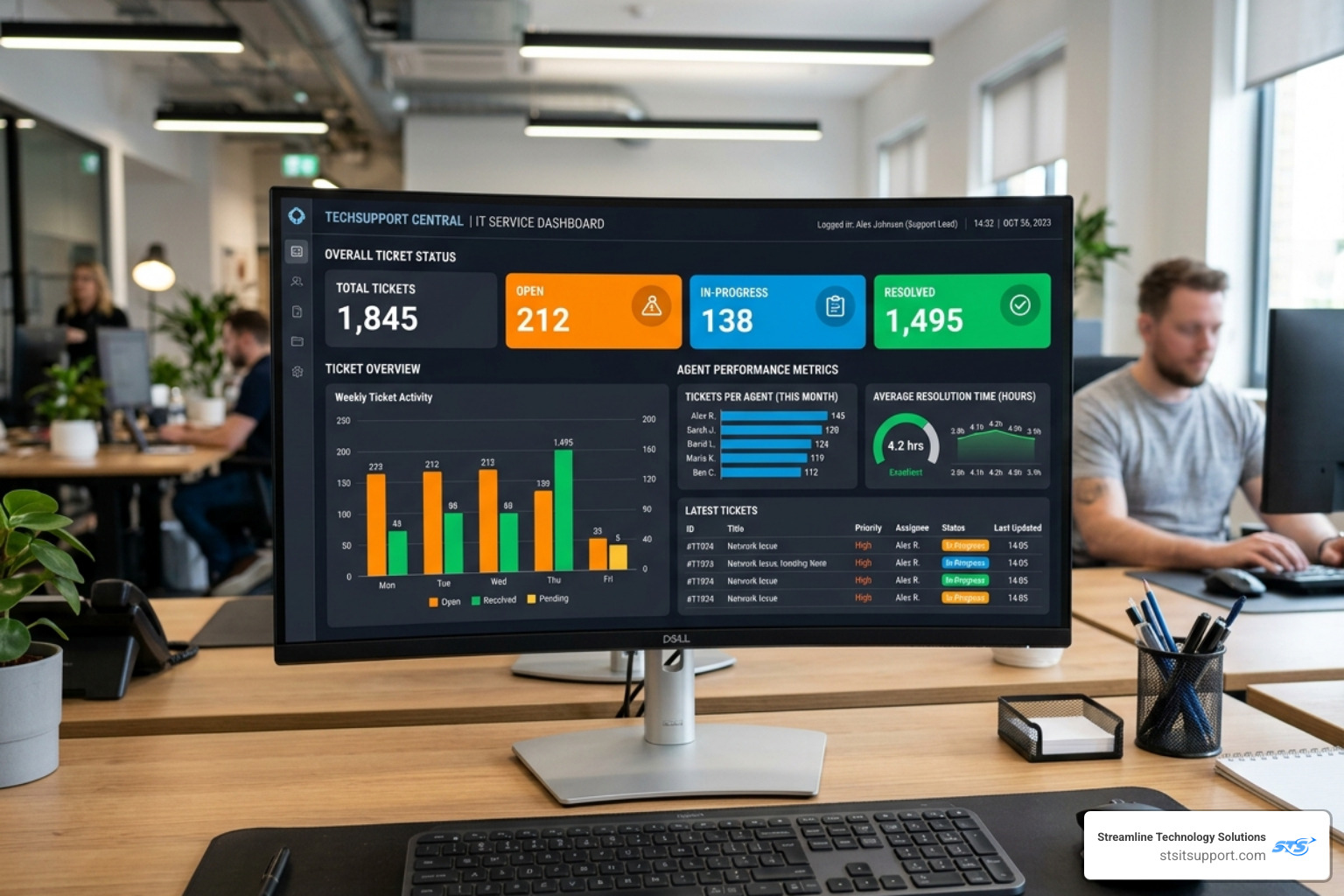
Reporting and Analytics: We need to see data-driven insights, such as "Average Time to Resolution" and "First Contact Resolution Rate."
Debugging Checklists: Predefined canned responses and checklists ensure that every technician follows the same high standard of troubleshooting.
Audit Logs: For security and compliance, every action taken on a ticket must be recorded.
How an IT Support Desk Functions Step-by-Step
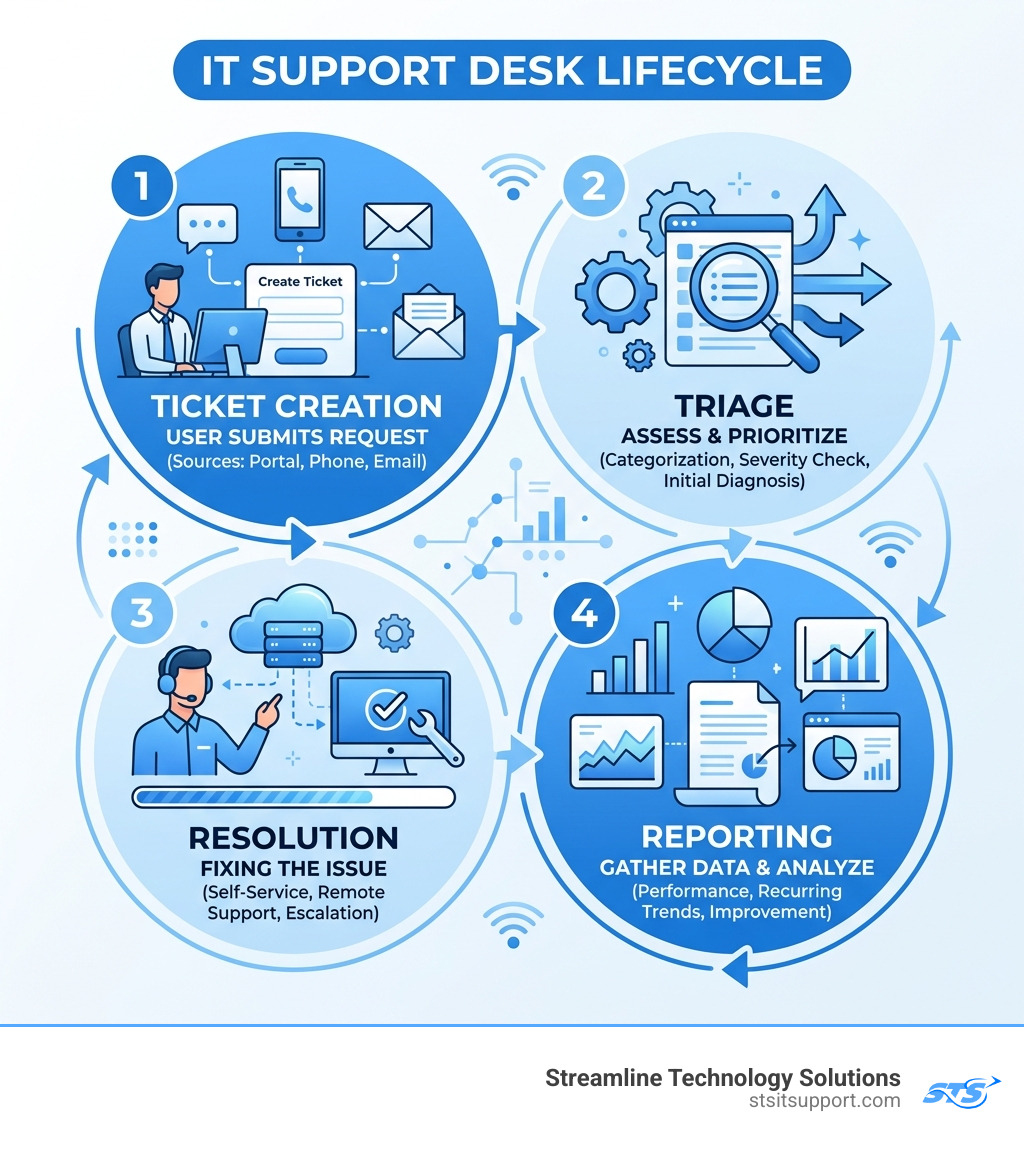
Ever wonder what happens after you hit "submit" on a support request? Here is the typical journey of a ticket:
Ticket Creation: The user submits a request via their preferred channel.
Triage: The system (or a human dispatcher) reviews the ticket to see what it’s about.
Prioritization: The ticket is ranked by urgency. A whole office with no internet gets a higher priority than one person wanting a new mousepad.
Assignment: The ticket is routed to a technician.
Resolution Workflow: The technician communicates with the user, troubleshoots the issue, and applies a fix.
Escalation: If the technician can't solve it, the ticket moves up to a more experienced "Tier 2" or "Tier 3" expert.
Final Resolution and Closure: Once the user confirms the fix works, the ticket is closed.
Feedback and Root Cause Analysis: We look at the data. If this same issue happens frequently, we investigate the root cause to prevent it from happening again.
Understanding the Tiers of Technical Support
Not all IT problems are created equal. To manage resources effectively, the it support desk is usually structured into tiers. This ensures that expert engineers aren't spending their time on simple password resets, while also ensuring that complex server crashes get the high-level attention they deserve.
Tier 0 (Self-Service): This is the "help yourself" level. It includes knowledge base articles, FAQs, and automated bots.
Tier 1 (Basic Troubleshooting): This is the front line. These technicians handle common issues like software installs, basic connectivity problems, and hardware peripherals.
Tier 2 (Specialized Technical): If Tier 1 can't fix it, it moves here. These pros have more experience and can dive deeper into operating system issues or complex software configurations.
Tier 3 (Expert Engineering): These are the "big guns." They handle server architecture, network infrastructure, and high-level security issues.
Tier 4 (Vendor Support): Sometimes the problem is with the product itself. In these cases, we act as your advocate with vendors like Microsoft, Dell, or Cisco to get a resolution.
Tier 5 (Strategic Planning): This is the highest level, often involving the CTO or IT Director, focusing on long-term strategy and how technology aligns with business goals.
For more details on how we structure our team to help you, visit our support center.
Choosing the Right Model: In-House vs. Managed Services
One of the biggest decisions a South Florida business owner faces is whether to build an in-house it support desk or partner with a managed service provider (MSP).
An in-house team gives you total control, but it is expensive. You have to pay for salaries, benefits, training, and the expensive software licenses required to run the desk. Plus, unless you hire a large team, you won't have 24/7 coverage.
Managed Services offer a more scalable and cost-effective approach. You get access to a full team of experts (from Tier 1 to Tier 3) for a fraction of the cost of one full-time senior hire. Managed providers also handle the heavy lifting of security compliance, ensuring your business stays up to date with standards like HIPAA (for healthcare), SOC2, and GDPR.
When looking for a partner, it's always wise to check our reviews to see how other local businesses have benefited from this model.
Benefits of a Managed IT Support Desk for Local Businesses
For businesses in areas like Coral Springs, Boca Raton, and Fort Lauderdale, a managed it support desk provides several key advantages:
Reduced Downtime: Proactive monitoring catches issues before they crash your system.
24/7 Coverage: Your business doesn't stop at 5 PM, and neither should your support.
Expert Access: You get a "Swiss Army Knife" of IT talent instead of just one person's skill set.
Remote and On-Site Support: While most issues can be fixed remotely in minutes, sometimes you need a human on the ground in Deerfield Beach or Pompano Beach. A local MSP can be at your office quickly.
Frequently Asked Questions about IT Support
What is the difference between Tier 1 and Tier 2 support?
Tier 1 is your first point of contact. They handle high-volume, relatively simple requests like password resets or basic "how-to" questions. Tier 2 technicians have deeper technical knowledge and handle more complex issues that require more time and specialized tools to resolve.
How does AI and automation improve ticket resolution times?
AI speeds things up in three main ways:
Instant Answers: Bots can solve simple problems immediately.
Smart Routing: Tickets get to the right person faster without human intervention.
Suggested Solutions: AI can look at past tickets and suggest the most likely fix to the technician, shaving minutes off every interaction. One study showed that automation can save up to 8 minutes per ticket!
Why should a business outsource its help desk?
Outsourcing provides immediate access to better technology and more experts than most small-to-medium businesses can afford on their own. It also converts a variable, unpredictable cost (emergency repairs) into a fixed, predictable monthly budget. Most importantly, it allows your leadership team to focus on growth rather than fixing broken computers.
Conclusion
The it support desk is the heartbeat of a modern company's technical operations. Whether it's helping an employee in Ft. Lauderdale get back into their email or helping a firm in Boca Raton secure their network against threats, the support desk is there to ensure productivity never stops.
At Streamline Technology Solutions, we pride ourselves on providing South Florida businesses with fast, local support and direct accountability. We believe in transparent pricing without hidden fees—what you see is what you get. Our team is dedicated to keeping your business running smoothly so you can focus on what you do best.
Ready to experience a better way to handle your IT?
Contact Streamline Technology Solutions today for a consultation.