The Rise of Fake CAPTCHA Attacks: A New Cyber Threat Businesses Need to Know About
Cybercriminals are constantly evolving their tactics, but a new type of attack is gaining traction that is catching even tech-savvy users off guard:
Fake CAPTCHA scams.
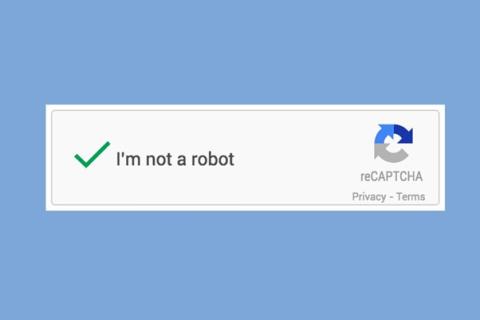
What looks like a simple “I’m not a robot” verification is now being used as a gateway to infect systems with malware.
What Is a Fake CAPTCHA Attack?
Most internet users are familiar with CAPTCHA tools that verify whether a user is human. These are commonly used on login pages, forms, and websites.
Attackers are now exploiting that familiarity.
Instead of a legitimate verification, users are presented with a fake CAPTCHA prompt that appears completely normal. However, instead of verifying identity, it instructs users to perform actions that compromise their system.
How the Attack Works
The process is deceptively simple and that’s what makes it dangerous.
A user lands on a compromised or malicious website and sees a CAPTCHA prompt.
Instead of clicking a checkbox, the instructions say something like:
“Press Windows + R”
“Paste this code”
“Click enter to verify you’re human”
What the user doesn’t realize is that they are actually executing a command that:
downloads malware
installs a remote access tool
gives attackers control of the device
This technique leverages social engineering rather than technical exploits, making it highly effective.
Why This Attack Is So Effective
This new wave of attacks is working for several reasons:
1. High Trust in CAPTCHAs
Users are conditioned to trust CAPTCHA prompts and rarely question them.
2. Simple Instructions
The steps feel routine and non-technical, reducing suspicion.
3. No Traditional “Click” Required
Many security tools focus on malicious links, but this attack bypasses that by tricking users into running commands manually.
4. Works on Both Personal and Business Devices
If executed on a company device, it can lead to broader network compromise.
The Business Impact
For organizations, the risks are significant:
malware infections across endpoints
credential theft
unauthorized system access
ransomware deployment
Because the attack relies on user action, it can bypass traditional security layers and create internal entry points for attackers.
How to Protect Your Business
Organizations need to adapt quickly to this emerging threat.
1. Employee Awareness Training
Employees should be trained to recognize that legitimate CAPTCHAs will never ask them to run commands or paste code.
2. Restrict Command Execution
Limit the ability for users to run unauthorized scripts or commands on company devices.
3. Endpoint Protection and Monitoring
Use advanced endpoint detection tools to identify suspicious behavior in real time.
4. Zero Trust Approach
Assume that threats can originate from inside the network and validate all actions.
5. Clear Internal Policies
Establish guidelines around what employees should and should not do when prompted by websites.
What This Means Moving Forward
Fake CAPTCHA attacks highlight a broader shift in cybersecurity:
Attackers are focusing more on human behavior than technical vulnerabilities.
As security tools become more advanced, cybercriminals are targeting the easiest entry point, people.
Organizations that invest in both technology and user awareness will be better positioned to defend against these evolving threats.
Final Thoughts
This attack is a reminder that not every cyber threat looks like malware or suspicious links.
Sometimes, it looks like a simple checkbox.
But behind that checkbox could be a direct path into your systems.
Staying ahead of these threats requires awareness, education, and proactive security strategies.