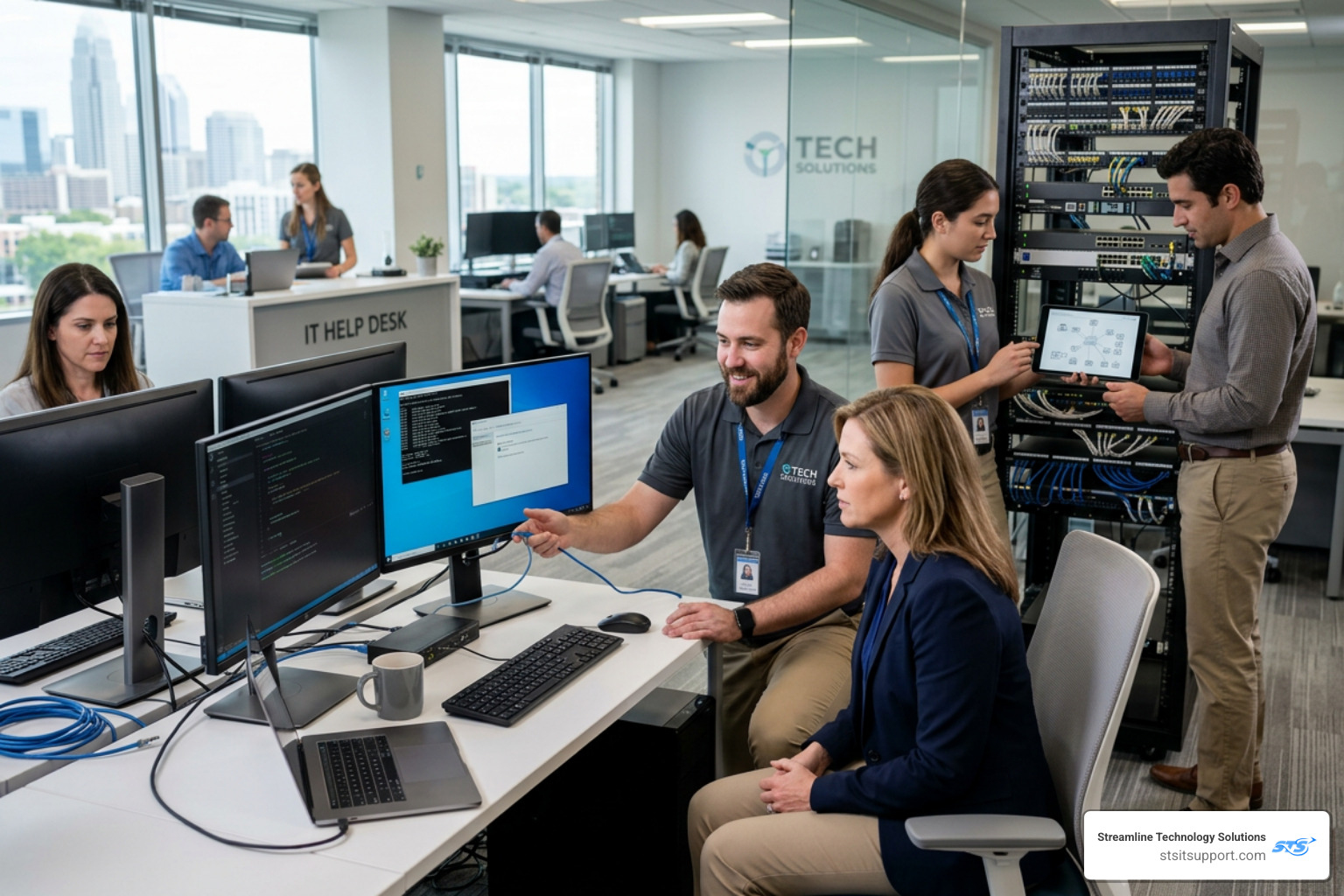
The Business Owner's Guide to Professional IT Support
Why Every Business Needs a Solid IT Support Strategy
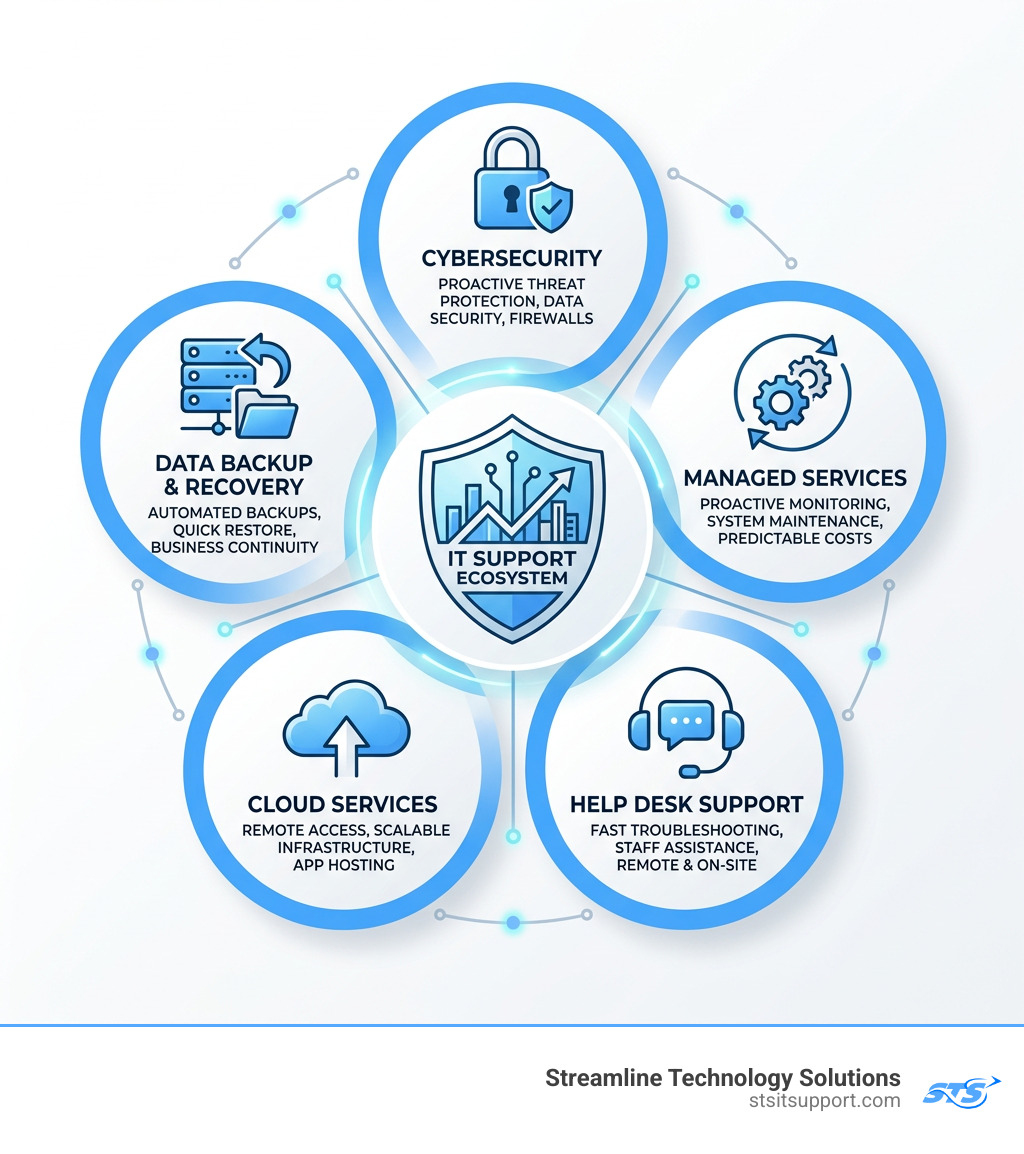
IT support for businesses covers the technology services that keep your systems running, your data secure, and your team productive. Here's a quick breakdown of what it includes:
What business IT support typically covers:
Managed IT services - A provider monitors and maintains your systems proactively, for a predictable monthly fee
Cybersecurity - Protection against ransomware, phishing, data breaches, and other threats
Help desk support - Fast troubleshooting for your staff when something breaks or slows down
Cloud services - Remote access to files, apps, and infrastructure from anywhere
Data backup and recovery - Automated backups so you can recover quickly if something goes wrong
On-site and remote support - A technician who can show up in person or fix issues remotely
Technology is no longer optional for running a business. It's the foundation. Whether you're processing payments, storing customer data, or managing a remote team, your IT infrastructure is working behind the scenes every single day.
But when that infrastructure fails? Work stops. Customers notice. Revenue takes a hit.
The challenge most small business owners face isn't a lack of technology — it's a lack of reliable support for that technology. Surprise fees, slow response times, and providers who are hard to reach make a frustrating problem even worse.
This guide breaks down everything you need to know to make a smarter decision about IT support — from pricing models and cybersecurity to choosing the right provider and switching without the headache.
I'm Michael Gaigelas, and I've spent 20 years working directly in IT support for businesses — covering managed services, cloud infrastructure, VoIP, telecommunications, servers, and Wi-Fi. That hands-on experience is the foundation of everything you'll read here.
Understanding the Different Types of IT Support for Businesses
When you start looking for it support for businesses, you’ll quickly realize it isn't a one-size-fits-all service. In the South Florida market—from the busy offices of Fort Lauderdale to the growing firms in Boca Raton—technology needs vary wildly. A local medical practice has different compliance requirements than a Deerfield Beach construction company.
Understanding the "flavor" of support you need is the first step toward operational efficiency.
Managed IT Services: This is the "peace of mind" model. We take full responsibility for your network, servers, and security. Instead of waiting for things to break, we monitor your systems 24/7 to catch issues before they disrupt your morning coffee.
Remote Assistance: Most software glitches can be fixed in minutes via a remote connection. This is the fastest way to get a "printer whisperer" on the case without waiting for a van to arrive in Pompano Beach traffic.
On-site Technical Support: Sometimes, you just need a human in the room. Whether it's a hardware failure, a messy server closet, or a full office move, on-site support ensures the physical foundation of your tech is solid.
Cloud Infrastructure: Moving to the cloud allows your team to work from home, the office, or a beach in Fort Lauderdale (we won't tell). It reduces the need for expensive, heat-generating server rooms.
Cybersecurity: This isn't just an "add-on" anymore; it’s the shield that keeps your business from becoming a statistic.
If you have a specific project in mind, like a server migration or a network overhaul, you can find More info about IT projects to see how specialized technical work differs from day-to-day support.
Fully Managed vs. Co-Managed IT Support for Businesses
We often meet business owners who are caught in the middle: they have a "tech person" on staff, but that person is drowning in tickets. This is where the distinction between fully managed and co-managed support becomes vital.
Fully Managed IT is like hiring an entire IT department for the price of one entry-level employee. We handle everything—strategy, security, help desk, and maintenance. It’s ideal for businesses that want to focus 100% on their core mission and leave the "blinking lights" to us.
Co-Managed IT is a partnership. If you already have an internal IT leader, we act as their "secret sidekick." We can handle the boring, repetitive tasks like 24/7 monitoring and patching, or provide specialized expertise in cybersecurity, leaving your internal team free to focus on high-level business goals. It solves the "skill gap" problem and ensures that when your IT person goes on vacation to the Keys, your business doesn't grind to a halt.
The Risks of the Reactive Break-Fix Model
Some businesses still use the "Break-Fix" model. It sounds simple: something breaks, you call a guy, he fixes it, and sends you a bill.
However, this model is inherently flawed because your interests and your IT provider's interests are at odds. In a break-fix world, the provider only makes money when you are suffering.
The risks include:
Unpredictable Budgeting: You might pay $0 one month and $5,000 the next when a server dies.
Downtime: Since there is no proactive maintenance, you wait until the system is completely down before seeking help.
Emergency Hourly Rates: You’ll often pay a premium (typically $125 to $250 per hour) for "emergency" service.
Security Vulnerabilities: Without constant patching and monitoring, your "fix" is often just a bandage on a much deeper security wound.
The Cost of Professional IT Support: Pricing Models and ROI
Budgeting for it support for businesses shouldn't feel like a guessing game. In South Florida, transparency is rare, but it's something we prioritize. Generally, you will encounter three main pricing structures.
Pricing Model Typical Monthly Cost Best For Fixed Fee (All-Inclusive) $1,200 – $3,500+ Predictable budgeting and full peace of mind. Per-User Pricing $75 – $250 per user Scaling businesses with fluctuating staff counts. Per-Device Pricing $25 – $100 per device Businesses with few users but many specialized machines. Break-Fix (Hourly) $125 – $250 per hour Very small businesses with minimal tech reliance.
Calculating ROI for IT Support for Businesses
Many owners view IT as a "cost center"—a necessary evil like the electric bill. But when you look at the Return on Investment (ROI), the perspective shifts.
To calculate the true ROI, consider the cost of not having support. If your 20-employee firm in Coral Springs goes down for four hours, you aren't just losing those four hours of revenue. You’re paying for 80 hours of idle payroll, losing customer trust, and potentially missing deadlines.
Professional support provides:
Productivity Gains: Resolving issues in minutes rather than hours.
Asset Lifecycle Management: Making sure your hardware lasts 5 years instead of 3 through proper care.
Security Breach Prevention: Avoiding the catastrophic costs of ransomware (where 60% of small businesses go bust within six months of an attack).
For more tools to help you plan, check out our Resources for business owners.
Factors Influencing Monthly IT Expenses
Why does one 30-person company pay more than another? It usually comes down to three factors:
Infrastructure Complexity: A company running legacy on-site servers and complex CAD software requires more "hands-on" time than a company that is 100% cloud-based.
Compliance Requirements: If you are in healthcare or finance (SEC/FINRA), the level of security and documentation required increases the support cost.
User Count and 24/7 Needs: A business that needs a technician on call at 2 AM on a Sunday will naturally pay a premium over a standard 9-to-5 operation.
Why Cybersecurity is the Foundation of Modern IT Support
If an IT provider talks to you about "fast computers" but doesn't lead with "secure data," they are doing you a disservice. Cybersecurity is no longer an optional "extra"—it is the foundation of it support for businesses.
The statistics are sobering:
61% of small to mid-sized businesses fall victim to a cyberattack every year, according to reports from the FBI's Internet Crime Complaint Center.
A cyberattack occurs somewhere in the world every 11 seconds.
The average small business is a "prime target" because they often have enterprise-grade data but only "consumer-grade" security.
Protecting Your Business from Evolving Threats
Modern threats have moved past simple viruses. Today, we deal with "social engineering" and sophisticated ransomware. A robust support plan must include:
Multi-Factor Authentication (MFA): This is the single most effective way to stop unauthorized access.
Endpoint Security: Protecting every laptop, phone, and tablet that connects to your network.
Phishing Defense: Training your employees to spot that "urgent" email from the "CEO" asking for gift cards.
Cyber Insurance Compliance: Insurance companies in 2026 have tightened their requirements. If you don't have specific security measures in place, they may deny your claim or refuse to cover you entirely.
You can see how we've helped other local businesses stay secure by reading our Reviews of security performance.
Business Continuity and Data Backup
There is a big difference between "backing up files" and "business continuity." A backup is just a copy of your data. Business continuity is a plan to get you back to work in minutes after a disaster.
In South Florida, we have to worry about more than just hackers; we have hurricanes and floods. If your server room in Boca Raton ends up under a foot of water, can you still run payroll?
Our approach involves:
Automated, Off-site Backups: Your data is encrypted and sent to a secure cloud data center.
Integrity Testing: We don't just assume the backup worked; we test it regularly to ensure the data is recoverable.
Minimal RTO (Recovery Time Objective): We aim to get your core systems back online so fast your customers won't even know there was a problem.
How to Choose and Switch to a Reliable IT Provider
Choosing a provider for it support for businesses is like choosing a business partner. You are trusting them with the "keys to the kingdom."
When interviewing potential partners in Fort Lauderdale or Pompano Beach, don't just ask if they can fix a computer. Ask about their Service Level Agreement (SLA). This is a formal document that outlines exactly how fast they will respond to your problems.
Key Metrics and Performance Indicators
A reliable IT company should be transparent about their performance. Look for these "gold standard" metrics:
Response Time: How long does it take for a real human to acknowledge your issue? (Look for guarantees under 15-30 minutes for critical issues).
First-Call Resolution: What percentage of issues are fixed on the very first contact? High-performing teams resolve 95% or more of tickets without needing a follow-up.
Customer Satisfaction (CSAT): Do their current clients actually like them? A score above 95% is a strong indicator of a healthy service culture.
Net Promoter Score (NPS): This measures how likely clients are to recommend the service. Top-tier providers often hit 90% or higher.
To learn more about our philosophy on these metrics, visit our About us page.
Steps for a Seamless Transition
The #1 reason business owners stay with a bad IT provider is the fear of the "switch." They worry that the transition will cause more downtime than the bad service itself.
We’ve perfected a "minimal disruption" onboarding process:
Deep System Audit: Before we touch a single wire, we document everything. We find the "skeletons in the closet" so they don't surprise us later.
Security Baseline: We immediately implement critical security patches and backups to stabilize the environment.
Employee Onboarding: We introduce ourselves to your team. We show them how to use the help desk so they feel supported from day one.
Documentation and Optimization: We create a "Network Map" and a strategic plan for the next 12 months.
We are proud to be a local partner for our neighbors. You can see the specific Areas we serve to confirm we have technicians near your office.
Frequently Asked Questions about Business IT Support
How much does IT support typically cost per month?
For most small to medium businesses, you can expect to pay between $75 and $150 per user, per month for basic managed services. For a full-service, "all-inclusive" plan that includes advanced cybersecurity and 24/7 support, the range is typically $1,200 to $3,500 per month. The beauty of this model is scalability—as you grow from 10 to 20 employees, your costs grow predictably without the need to hire a $70k/year internal IT manager.
What is the difference between a warranty and a support plan?
A warranty is reactive; it covers the cost of a part if it fails (like a hard drive). It does not cover the labor to install it, the configuration to make it work with your network, or the monitoring to tell you it's about to fail. An IT support plan is proactive. It includes the software updates, the security patches, and the strategic consulting that keeps the hardware running efficiently in the first place.
How quickly should an IT provider respond to an emergency?
In it support for businesses, every minute of downtime is lost revenue. A professional SLA should guarantee a response for "Critical" issues (like a server being down) within 15 to 30 minutes. For non-urgent requests (like a new email signature), a response within 4 to 8 hours is standard.
Conclusion
Technology should be your business's "secret weapon," not a daily headache. Whether you are dealing with slow Wi-Fi in Deerfield Beach or worrying about ransomware in Boca Raton, the right it support for businesses makes all the difference.
At Streamline Technology Solutions, we believe in a "People First, Tech Next" approach. We offer:
Transparent Pricing: No hidden fees or "gotcha" invoices.
Fast Local Support: We live and work in South Florida, just like you.
Direct Accountability: When you call, you talk to an expert who knows your name and your network.
Full Integration: Beyond just "fixing PCs," we provide VoIP and hardware solutions to keep your entire office connected.
Don't wait for a "Monday-allergic" computer or a security scare to take control of your technology. Schedule an Appointment with us today, and let's build a technology strategy that actually supports your growth.

How Can We Help?
Call us at (954) 368-0648 or fill out the form below.
Featured Posts
The Business Owner's Guide to Professional IT Support
Why Every Business Needs a Solid IT Support Strategy
IT support for businesses covers the technology services that keep your systems running, your data secure, and your team productive. Here's a quick breakdown of what it includes:
What business IT support typically covers:
Managed IT services - A provider monitors and maintains your systems proactively, for a predictable monthly fee
Cybersecurity - Protection against ransomware, phishing, data breaches, and other threats
Help desk support - Fast troubleshooting for your staff when something breaks or slows down
Cloud services - Remote access to files, apps, and infrastructure from anywhere
Data backup and recovery - Automated backups so you can recover quickly if something goes wrong
On-site and remote support - A technician who can show up in person or fix issues remotely
Technology is no longer optional for running a business. It's the foundation. Whether you're processing payments, storing customer data, or managing a remote team, your IT infrastructure is working behind the scenes every single day.
But when that infrastructure fails? Work stops. Customers notice. Revenue takes a hit.
The challenge most small business owners face isn't a lack of technology — it's a lack of reliable support for that technology. Surprise fees, slow response times, and providers who are hard to reach make a frustrating problem even worse.
This guide breaks down everything you need to know to make a smarter decision about IT support — from pricing models and cybersecurity to choosing the right provider and switching without the headache.
I'm Michael Gaigelas, and I've spent 20 years working directly in IT support for businesses — covering managed services, cloud infrastructure, VoIP, telecommunications, servers, and Wi-Fi. That hands-on experience is the foundation of everything you'll read here.
Understanding the Different Types of IT Support for Businesses
When you start looking for it support for businesses, you’ll quickly realize it isn't a one-size-fits-all service. In the South Florida market—from the busy offices of Fort Lauderdale to the growing firms in Boca Raton—technology needs vary wildly. A local medical practice has different compliance requirements than a Deerfield Beach construction company.
Understanding the "flavor" of support you need is the first step toward operational efficiency.
Managed IT Services: This is the "peace of mind" model. We take full responsibility for your network, servers, and security. Instead of waiting for things to break, we monitor your systems 24/7 to catch issues before they disrupt your morning coffee.
Remote Assistance: Most software glitches can be fixed in minutes via a remote connection. This is the fastest way to get a "printer whisperer" on the case without waiting for a van to arrive in Pompano Beach traffic.
On-site Technical Support: Sometimes, you just need a human in the room. Whether it's a hardware failure, a messy server closet, or a full office move, on-site support ensures the physical foundation of your tech is solid.
Cloud Infrastructure: Moving to the cloud allows your team to work from home, the office, or a beach in Fort Lauderdale (we won't tell). It reduces the need for expensive, heat-generating server rooms.
Cybersecurity: This isn't just an "add-on" anymore; it’s the shield that keeps your business from becoming a statistic.
If you have a specific project in mind, like a server migration or a network overhaul, you can find More info about IT projects to see how specialized technical work differs from day-to-day support.
Fully Managed vs. Co-Managed IT Support for Businesses
We often meet business owners who are caught in the middle: they have a "tech person" on staff, but that person is drowning in tickets. This is where the distinction between fully managed and co-managed support becomes vital.
Fully Managed IT is like hiring an entire IT department for the price of one entry-level employee. We handle everything—strategy, security, help desk, and maintenance. It’s ideal for businesses that want to focus 100% on their core mission and leave the "blinking lights" to us.
Co-Managed IT is a partnership. If you already have an internal IT leader, we act as their "secret sidekick." We can handle the boring, repetitive tasks like 24/7 monitoring and patching, or provide specialized expertise in cybersecurity, leaving your internal team free to focus on high-level business goals. It solves the "skill gap" problem and ensures that when your IT person goes on vacation to the Keys, your business doesn't grind to a halt.
The Risks of the Reactive Break-Fix Model
Some businesses still use the "Break-Fix" model. It sounds simple: something breaks, you call a guy, he fixes it, and sends you a bill.
However, this model is inherently flawed because your interests and your IT provider's interests are at odds. In a break-fix world, the provider only makes money when you are suffering.
The risks include:
Unpredictable Budgeting: You might pay $0 one month and $5,000 the next when a server dies.
Downtime: Since there is no proactive maintenance, you wait until the system is completely down before seeking help.
Emergency Hourly Rates: You’ll often pay a premium (typically $125 to $250 per hour) for "emergency" service.
Security Vulnerabilities: Without constant patching and monitoring, your "fix" is often just a bandage on a much deeper security wound.
The Cost of Professional IT Support: Pricing Models and ROI
Budgeting for it support for businesses shouldn't feel like a guessing game. In South Florida, transparency is rare, but it's something we prioritize. Generally, you will encounter three main pricing structures.
Pricing Model Typical Monthly Cost Best For Fixed Fee (All-Inclusive) $1,200 – $3,500+ Predictable budgeting and full peace of mind. Per-User Pricing $75 – $250 per user Scaling businesses with fluctuating staff counts. Per-Device Pricing $25 – $100 per device Businesses with few users but many specialized machines. Break-Fix (Hourly) $125 – $250 per hour Very small businesses with minimal tech reliance.
Calculating ROI for IT Support for Businesses
Many owners view IT as a "cost center"—a necessary evil like the electric bill. But when you look at the Return on Investment (ROI), the perspective shifts.
To calculate the true ROI, consider the cost of not having support. If your 20-employee firm in Coral Springs goes down for four hours, you aren't just losing those four hours of revenue. You’re paying for 80 hours of idle payroll, losing customer trust, and potentially missing deadlines.
Professional support provides:
Productivity Gains: Resolving issues in minutes rather than hours.
Asset Lifecycle Management: Making sure your hardware lasts 5 years instead of 3 through proper care.
Security Breach Prevention: Avoiding the catastrophic costs of ransomware (where 60% of small businesses go bust within six months of an attack).
For more tools to help you plan, check out our Resources for business owners.
Factors Influencing Monthly IT Expenses
Why does one 30-person company pay more than another? It usually comes down to three factors:
Infrastructure Complexity: A company running legacy on-site servers and complex CAD software requires more "hands-on" time than a company that is 100% cloud-based.
Compliance Requirements: If you are in healthcare or finance (SEC/FINRA), the level of security and documentation required increases the support cost.
User Count and 24/7 Needs: A business that needs a technician on call at 2 AM on a Sunday will naturally pay a premium over a standard 9-to-5 operation.
Why Cybersecurity is the Foundation of Modern IT Support
If an IT provider talks to you about "fast computers" but doesn't lead with "secure data," they are doing you a disservice. Cybersecurity is no longer an optional "extra"—it is the foundation of it support for businesses.
The statistics are sobering:
61% of small to mid-sized businesses fall victim to a cyberattack every year, according to reports from the FBI's Internet Crime Complaint Center.
A cyberattack occurs somewhere in the world every 11 seconds.
The average small business is a "prime target" because they often have enterprise-grade data but only "consumer-grade" security.
Protecting Your Business from Evolving Threats
Modern threats have moved past simple viruses. Today, we deal with "social engineering" and sophisticated ransomware. A robust support plan must include:
Multi-Factor Authentication (MFA): This is the single most effective way to stop unauthorized access.
Endpoint Security: Protecting every laptop, phone, and tablet that connects to your network.
Phishing Defense: Training your employees to spot that "urgent" email from the "CEO" asking for gift cards.
Cyber Insurance Compliance: Insurance companies in 2026 have tightened their requirements. If you don't have specific security measures in place, they may deny your claim or refuse to cover you entirely.
You can see how we've helped other local businesses stay secure by reading our Reviews of security performance.
Business Continuity and Data Backup
There is a big difference between "backing up files" and "business continuity." A backup is just a copy of your data. Business continuity is a plan to get you back to work in minutes after a disaster.
In South Florida, we have to worry about more than just hackers; we have hurricanes and floods. If your server room in Boca Raton ends up under a foot of water, can you still run payroll?
Our approach involves:
Automated, Off-site Backups: Your data is encrypted and sent to a secure cloud data center.
Integrity Testing: We don't just assume the backup worked; we test it regularly to ensure the data is recoverable.
Minimal RTO (Recovery Time Objective): We aim to get your core systems back online so fast your customers won't even know there was a problem.
How to Choose and Switch to a Reliable IT Provider
Choosing a provider for it support for businesses is like choosing a business partner. You are trusting them with the "keys to the kingdom."
When interviewing potential partners in Fort Lauderdale or Pompano Beach, don't just ask if they can fix a computer. Ask about their Service Level Agreement (SLA). This is a formal document that outlines exactly how fast they will respond to your problems.
Key Metrics and Performance Indicators
A reliable IT company should be transparent about their performance. Look for these "gold standard" metrics:
Response Time: How long does it take for a real human to acknowledge your issue? (Look for guarantees under 15-30 minutes for critical issues).
First-Call Resolution: What percentage of issues are fixed on the very first contact? High-performing teams resolve 95% or more of tickets without needing a follow-up.
Customer Satisfaction (CSAT): Do their current clients actually like them? A score above 95% is a strong indicator of a healthy service culture.
Net Promoter Score (NPS): This measures how likely clients are to recommend the service. Top-tier providers often hit 90% or higher.
To learn more about our philosophy on these metrics, visit our About us page.
Steps for a Seamless Transition
The #1 reason business owners stay with a bad IT provider is the fear of the "switch." They worry that the transition will cause more downtime than the bad service itself.
We’ve perfected a "minimal disruption" onboarding process:
Deep System Audit: Before we touch a single wire, we document everything. We find the "skeletons in the closet" so they don't surprise us later.
Security Baseline: We immediately implement critical security patches and backups to stabilize the environment.
Employee Onboarding: We introduce ourselves to your team. We show them how to use the help desk so they feel supported from day one.
Documentation and Optimization: We create a "Network Map" and a strategic plan for the next 12 months.
We are proud to be a local partner for our neighbors. You can see the specific Areas we serve to confirm we have technicians near your office.
Frequently Asked Questions about Business IT Support
How much does IT support typically cost per month?
For most small to medium businesses, you can expect to pay between $75 and $150 per user, per month for basic managed services. For a full-service, "all-inclusive" plan that includes advanced cybersecurity and 24/7 support, the range is typically $1,200 to $3,500 per month. The beauty of this model is scalability—as you grow from 10 to 20 employees, your costs grow predictably without the need to hire a $70k/year internal IT manager.
What is the difference between a warranty and a support plan?
A warranty is reactive; it covers the cost of a part if it fails (like a hard drive). It does not cover the labor to install it, the configuration to make it work with your network, or the monitoring to tell you it's about to fail. An IT support plan is proactive. It includes the software updates, the security patches, and the strategic consulting that keeps the hardware running efficiently in the first place.
How quickly should an IT provider respond to an emergency?
In it support for businesses, every minute of downtime is lost revenue. A professional SLA should guarantee a response for "Critical" issues (like a server being down) within 15 to 30 minutes. For non-urgent requests (like a new email signature), a response within 4 to 8 hours is standard.
Conclusion
Technology should be your business's "secret weapon," not a daily headache. Whether you are dealing with slow Wi-Fi in Deerfield Beach or worrying about ransomware in Boca Raton, the right it support for businesses makes all the difference.
At Streamline Technology Solutions, we believe in a "People First, Tech Next" approach. We offer:
Transparent Pricing: No hidden fees or "gotcha" invoices.
Fast Local Support: We live and work in South Florida, just like you.
Direct Accountability: When you call, you talk to an expert who knows your name and your network.
Full Integration: Beyond just "fixing PCs," we provide VoIP and hardware solutions to keep your entire office connected.
Don't wait for a "Monday-allergic" computer or a security scare to take control of your technology. Schedule an Appointment with us today, and let's build a technology strategy that actually supports your growth.