Blog
Home / Blog
Cloud Backup for Small Business: Protect Your Data & Keep Running
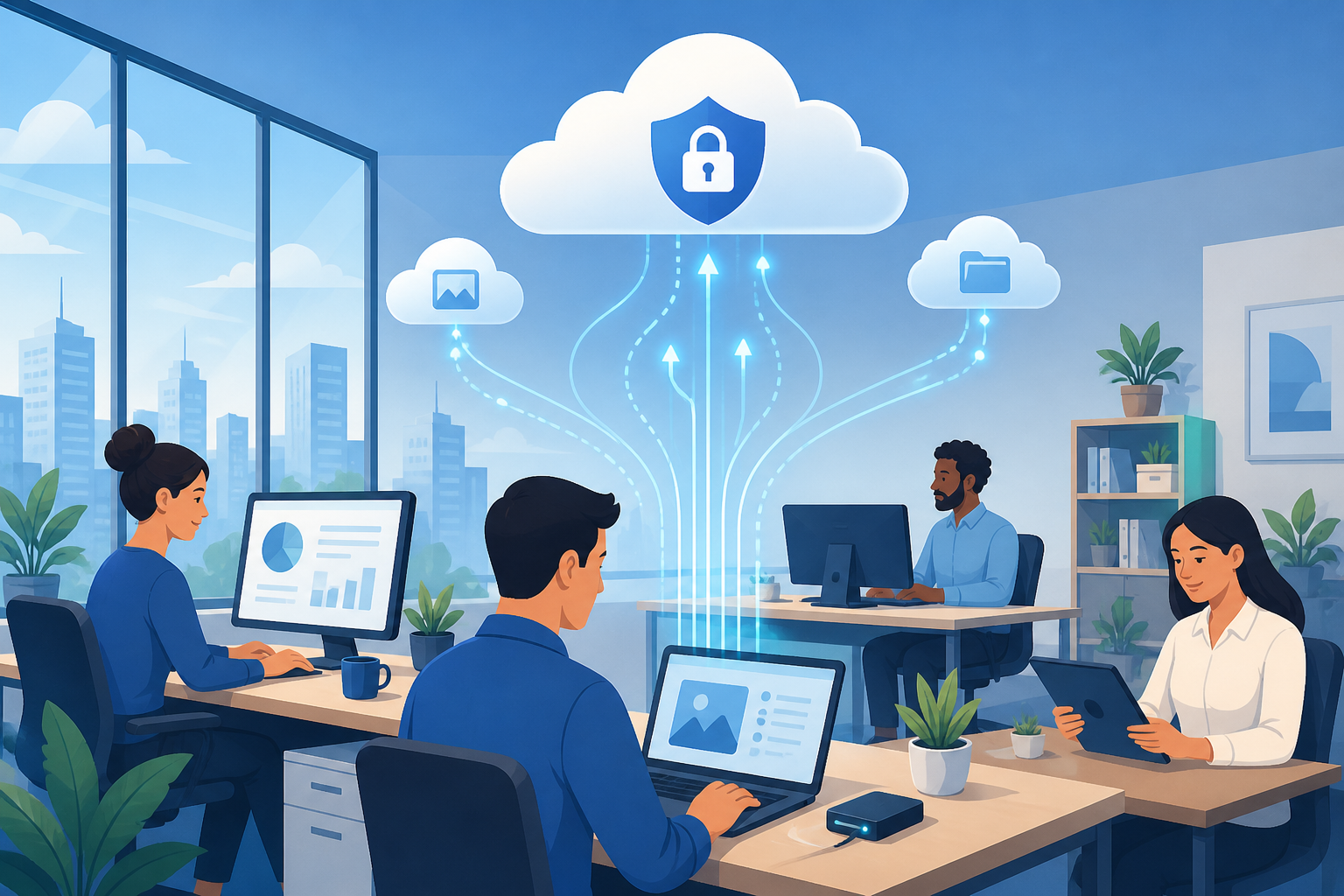
Your business data is your lifeline. Customer records, financial files, project documents, emails—if you lost it all tomorrow, could you recover? For South Florida small businesses, cloud backup for small business isn't just nice to have. It's the difference between bouncing back from disaster and closing your doors.
We've seen it happen: a ransomware attack locks everything. A hurricane floods the office. An employee accidentally deletes critical files. Without reliable cloud backup, businesses lose days or weeks of productivity—and sometimes never fully recover. The good news? Cloud backup is affordable, automatic, and gives you peace of mind that your data is always safe and accessible.
Let's walk through why cloud backup matters, what to look for, and how South Florida small businesses can protect themselves without breaking the bank.
Why Cloud Backup for Small Business Beats Traditional Methods
Remember external hard drives? Tape backups? Maybe you still have one sitting in a drawer somewhere. The problem with old-school backup methods is they fail when you need them most. Hard drives fail. Tapes degrade. Worse, if your backup sits in the same office as your computers, a fire, flood, or theft takes out both your data and your backup.
Cloud backup stores your files securely off-site in professional data centers. That means even if your office suffers a total loss, your data is safe and ready to restore. It's automatic—no one has to remember to plug in a drive or swap a tape. And it's accessible from anywhere, so if you need a file while working remotely or from a temporary location, you can get it instantly.
Here's what makes cloud backup the smart choice:
- Automatic protection: Backups run continuously or on schedule without anyone lifting a finger
- Off-site security: Your data lives in secure, redundant data centers, not your office closet
- Fast recovery: Restore individual files in minutes or your entire system in hours, not days
- Scalable: As your business grows, your backup grows with you—no hardware to buy
- Disaster-proof: Hurricanes, power surges, ransomware—your data survives it all
What Small Businesses Need to Back Up
Some business owners think cloud backup is just for big files or server data. Actually, you need to protect everything that keeps your business running. Here's what matters:
Your file servers and shared drives: All those Word docs, Excel spreadsheets, PDFs, proposals, contracts—everything your team creates and shares needs continuous backup.
Email and communications: Email isn't automatically safe forever. If your email provider has an outage or your account gets compromised, you need a backup of those conversations, attachments, and contacts.
Financial and accounting data: QuickBooks files, invoices, payroll records—losing this means lost money and serious headaches at tax time.
Customer data and CRM: Customer lists, project histories, service records—this is the heart of your business relationships.
Employee workstations: Yes, even individual computers. If someone's laptop dies or gets stolen, cloud backup gets them back up and running fast.
A proper cloud backup for small business solution covers all these bases automatically, so nothing slips through the cracks.
How to Choose the Right Cloud Backup Solution
Not all cloud backup is created equal. Some consumer-grade solutions work fine for personal photos but fall short for business needs. Here's what to look for when choosing cloud backup for your small business:
Automatic and continuous backup: You shouldn't have to remember to run backups. The system should monitor your files and back them up automatically, ideally in real-time or near-real-time.
Quick and flexible restore: When disaster strikes, you need files back now. Look for solutions that let you restore individual files instantly or recover entire systems quickly. Bonus points if you can access files from a web browser in an emergency.
Strong encryption: Your data should be encrypted both in transit (while traveling to the cloud) and at rest (while stored). This protects against hackers and unauthorized access.
Reliable support: When you need to restore data, you can't afford to wait on hold for hours. Choose a provider with responsive, knowledgeable support—ideally a local IT partner who knows your systems.
Compliance and retention: Depending on your industry, you may need to keep certain records for specific time periods. Make sure your cloud backup solution meets any regulatory requirements for data retention.
Reasonable cost: Cloud backup should be affordable and predictable. Look for pricing based on the amount of data you're protecting, not surprise fees or complicated tiers.
Cloud Backup Protects Against Real South Florida Threats
South Florida small businesses face unique risks that make cloud backup especially critical. We're in hurricane country, which means storm season brings the real threat of flooding, power outages, and building damage. Your office might be inaccessible for days or weeks—but with cloud backup, your data isn't stuck there with you.
Ransomware is another growing threat. Cybercriminals specifically target small businesses because they often lack strong IT security. Ransomware encrypts your files and demands payment to unlock them. With proper cloud backup, you don't pay the ransom—you just restore your files from before the attack and get back to work.
Even simple accidents happen more than you'd think. Employees delete the wrong folder. A power surge fries a server. Someone spills coffee on their laptop. Without cloud backup, these small incidents become major crises. With it, they're minor inconveniences.
The Real Cost of Not Having Cloud Backup
We talk to small business owners all the time who think they can't afford cloud backup. The truth? You can't afford not to have it. Consider what data loss actually costs:
Lost productivity: Every hour your team can't access their files is an hour of lost billable work, missed deadlines, and frustrated customers.
Recovery expenses: Data recovery services charge thousands of dollars with no guarantee they can get your files back. Emergency IT support during a crisis is expensive.
Reputation damage: If you can't deliver because you lost client data, word spreads fast. Trust is hard to rebuild.
Compliance penalties: Some industries face fines for failing to protect customer data properly. Those penalties add up quickly.
Permanent closure: Studies consistently show that a majority of small businesses that lose their data close within a year. That's not scare tactics—that's reality.
Compare all that to the cost of cloud backup: typically a few dollars per computer per month. It's one of the smartest investments you can make.
How We Help South Florida Small Businesses with Cloud Backup
At Streamline Technology Solutions, we don't just set up cloud backup and disappear. We become your IT partner, making sure your data is always protected and your business keeps running smoothly. Here's how we approach cloud backup for small business:
We start with a complete assessment of what you need to protect. We identify all your critical data—files, email, applications, databases—and design a backup strategy that covers everything. We configure automatic, continuous backup that runs in the background without slowing down your systems or requiring any action from your team.
We monitor your backups daily to make sure they're completing successfully. If something goes wrong, we catch it and fix it before you even know there was an issue. And we test your backups regularly, because a backup you can't restore is worthless.
When you need to recover data—whether it's one file or your entire system—we're here to help. We'll walk you through the restore process or handle it for you, getting you back up and running as quickly as possible.
We also layer cloud backup with other protections like cybersecurity, reliable networks, and proactive maintenance. That comprehensive approach is what keeps South Florida small businesses running smoothly year-round.
Get Protected Today
Cloud backup for small business isn't complicated or expensive—but the consequences of going without can be devastating. If you're currently crossing your fingers and hoping nothing bad happens to your data, it's time for a better plan.
Your data is too important to leave to chance. Whether you're concerned about hurricanes, ransomware, hardware failures, or simple human error, cloud backup gives you the protection and peace of mind you need to focus on running your business.
We help South Florida small businesses protect their data and avoid costly downtime every day. If your current backup situation keeps you up at night—or if you're not even sure you have a real backup—let's talk.
Stop losing hours to bad tech. Get a Free Tech Assessment and discover how reliable cloud backup can protect your business and give you peace of mind.
Call or text us at 954-787-3288, or visit stsitsupport.com/smart-IT to schedule your free assessment today.

How Can We Help?
Call us at (954) 787-3288 or fill out the form below.
Featured Posts
Cloud Backup for Small Business: Protect Your Data & Keep Running
Your business data is your lifeline. Customer records, financial files, project documents, emails—if you lost it all tomorrow, could you recover? For South Florida small businesses, cloud backup for small business isn't just nice to have. It's the difference between bouncing back from disaster and closing your doors.
We've seen it happen: a ransomware attack locks everything. A hurricane floods the office. An employee accidentally deletes critical files. Without reliable cloud backup, businesses lose days or weeks of productivity—and sometimes never fully recover. The good news? Cloud backup is affordable, automatic, and gives you peace of mind that your data is always safe and accessible.
Let's walk through why cloud backup matters, what to look for, and how South Florida small businesses can protect themselves without breaking the bank.
Why Cloud Backup for Small Business Beats Traditional Methods
Remember external hard drives? Tape backups? Maybe you still have one sitting in a drawer somewhere. The problem with old-school backup methods is they fail when you need them most. Hard drives fail. Tapes degrade. Worse, if your backup sits in the same office as your computers, a fire, flood, or theft takes out both your data and your backup.
Cloud backup stores your files securely off-site in professional data centers. That means even if your office suffers a total loss, your data is safe and ready to restore. It's automatic—no one has to remember to plug in a drive or swap a tape. And it's accessible from anywhere, so if you need a file while working remotely or from a temporary location, you can get it instantly.
Here's what makes cloud backup the smart choice:
- Automatic protection: Backups run continuously or on schedule without anyone lifting a finger
- Off-site security: Your data lives in secure, redundant data centers, not your office closet
- Fast recovery: Restore individual files in minutes or your entire system in hours, not days
- Scalable: As your business grows, your backup grows with you—no hardware to buy
- Disaster-proof: Hurricanes, power surges, ransomware—your data survives it all
What Small Businesses Need to Back Up
Some business owners think cloud backup is just for big files or server data. Actually, you need to protect everything that keeps your business running. Here's what matters:
Your file servers and shared drives: All those Word docs, Excel spreadsheets, PDFs, proposals, contracts—everything your team creates and shares needs continuous backup.
Email and communications: Email isn't automatically safe forever. If your email provider has an outage or your account gets compromised, you need a backup of those conversations, attachments, and contacts.
Financial and accounting data: QuickBooks files, invoices, payroll records—losing this means lost money and serious headaches at tax time.
Customer data and CRM: Customer lists, project histories, service records—this is the heart of your business relationships.
Employee workstations: Yes, even individual computers. If someone's laptop dies or gets stolen, cloud backup gets them back up and running fast.
A proper cloud backup for small business solution covers all these bases automatically, so nothing slips through the cracks.
How to Choose the Right Cloud Backup Solution
Not all cloud backup is created equal. Some consumer-grade solutions work fine for personal photos but fall short for business needs. Here's what to look for when choosing cloud backup for your small business:
Automatic and continuous backup: You shouldn't have to remember to run backups. The system should monitor your files and back them up automatically, ideally in real-time or near-real-time.
Quick and flexible restore: When disaster strikes, you need files back now. Look for solutions that let you restore individual files instantly or recover entire systems quickly. Bonus points if you can access files from a web browser in an emergency.
Strong encryption: Your data should be encrypted both in transit (while traveling to the cloud) and at rest (while stored). This protects against hackers and unauthorized access.
Reliable support: When you need to restore data, you can't afford to wait on hold for hours. Choose a provider with responsive, knowledgeable support—ideally a local IT partner who knows your systems.
Compliance and retention: Depending on your industry, you may need to keep certain records for specific time periods. Make sure your cloud backup solution meets any regulatory requirements for data retention.
Reasonable cost: Cloud backup should be affordable and predictable. Look for pricing based on the amount of data you're protecting, not surprise fees or complicated tiers.
Cloud Backup Protects Against Real South Florida Threats
South Florida small businesses face unique risks that make cloud backup especially critical. We're in hurricane country, which means storm season brings the real threat of flooding, power outages, and building damage. Your office might be inaccessible for days or weeks—but with cloud backup, your data isn't stuck there with you.
Ransomware is another growing threat. Cybercriminals specifically target small businesses because they often lack strong IT security. Ransomware encrypts your files and demands payment to unlock them. With proper cloud backup, you don't pay the ransom—you just restore your files from before the attack and get back to work.
Even simple accidents happen more than you'd think. Employees delete the wrong folder. A power surge fries a server. Someone spills coffee on their laptop. Without cloud backup, these small incidents become major crises. With it, they're minor inconveniences.
The Real Cost of Not Having Cloud Backup
We talk to small business owners all the time who think they can't afford cloud backup. The truth? You can't afford not to have it. Consider what data loss actually costs:
Lost productivity: Every hour your team can't access their files is an hour of lost billable work, missed deadlines, and frustrated customers.
Recovery expenses: Data recovery services charge thousands of dollars with no guarantee they can get your files back. Emergency IT support during a crisis is expensive.
Reputation damage: If you can't deliver because you lost client data, word spreads fast. Trust is hard to rebuild.
Compliance penalties: Some industries face fines for failing to protect customer data properly. Those penalties add up quickly.
Permanent closure: Studies consistently show that a majority of small businesses that lose their data close within a year. That's not scare tactics—that's reality.
Compare all that to the cost of cloud backup: typically a few dollars per computer per month. It's one of the smartest investments you can make.
How We Help South Florida Small Businesses with Cloud Backup
At Streamline Technology Solutions, we don't just set up cloud backup and disappear. We become your IT partner, making sure your data is always protected and your business keeps running smoothly. Here's how we approach cloud backup for small business:
We start with a complete assessment of what you need to protect. We identify all your critical data—files, email, applications, databases—and design a backup strategy that covers everything. We configure automatic, continuous backup that runs in the background without slowing down your systems or requiring any action from your team.
We monitor your backups daily to make sure they're completing successfully. If something goes wrong, we catch it and fix it before you even know there was an issue. And we test your backups regularly, because a backup you can't restore is worthless.
When you need to recover data—whether it's one file or your entire system—we're here to help. We'll walk you through the restore process or handle it for you, getting you back up and running as quickly as possible.
We also layer cloud backup with other protections like cybersecurity, reliable networks, and proactive maintenance. That comprehensive approach is what keeps South Florida small businesses running smoothly year-round.
Get Protected Today
Cloud backup for small business isn't complicated or expensive—but the consequences of going without can be devastating. If you're currently crossing your fingers and hoping nothing bad happens to your data, it's time for a better plan.
Your data is too important to leave to chance. Whether you're concerned about hurricanes, ransomware, hardware failures, or simple human error, cloud backup gives you the protection and peace of mind you need to focus on running your business.
We help South Florida small businesses protect their data and avoid costly downtime every day. If your current backup situation keeps you up at night—or if you're not even sure you have a real backup—let's talk.
Stop losing hours to bad tech. Get a Free Tech Assessment and discover how reliable cloud backup can protect your business and give you peace of mind.
Call or text us at 954-787-3288, or visit stsitsupport.com/smart-IT to schedule your free assessment today.